
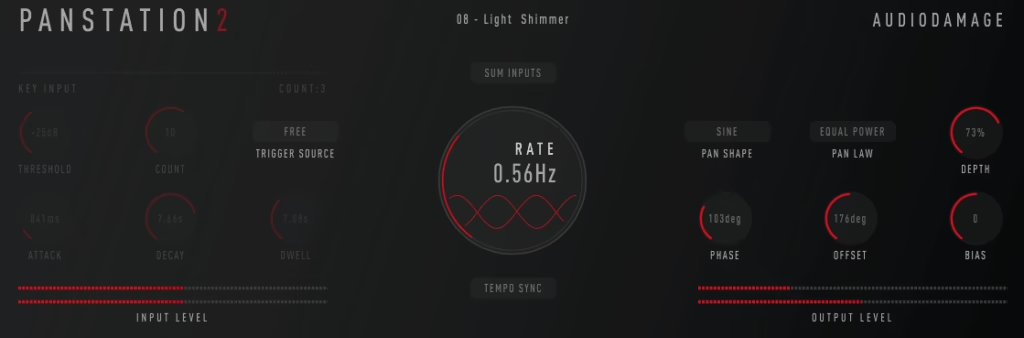
Dynamic stereo placement brings energy and dimension that static mixing positions simply cannot match. Rhythmic spatial modulation transforms how elements interact within your stereo field, creating width and movement that captures listener attention. Rather than spending hours plotting automation curves manually, these processors generate intricate panning sequences that evolve naturally throughout your productions.
The current landscape offers remarkable diversity in approach and implementation. Commercial processors deliver advanced sequencing and frequency-targeted control, while freely available alternatives handle fundamental operations with impressive competence. Certain tools concentrate exclusively on spatial positioning, whereas others incorporate amplitude modulation, width processing, and routing flexibility for expanded creative potential.
1. Cableguys Panshaper 4
- Compatibility: Windows, macOS
- Format: VST, VST3, AU, AAX
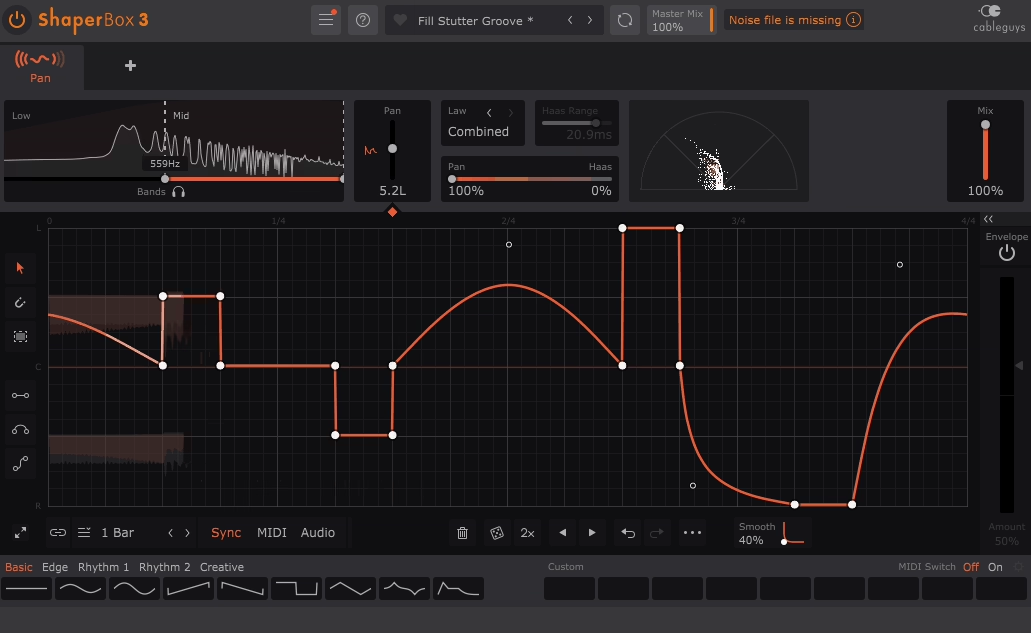
Visual modulation design represents Cableguys’ specialty, and Panshaper 4 exemplifies this approach perfectly. Rather than adjusting parameters blindly, you’re sketching movement curves directly on a visual canvas, which fundamentally changes how quickly and accurately you can create sophisticated spatial patterns.
Frequency band separation transforms this from simple panning into surgical stereo sculpting. Low spectrum remains anchored centrally for bass power and focus, while upper frequencies sweep expressively across the field. This targeted approach separates hobbyist from professional stereo treatment techniques.
The library of presets functions as genuine creative starting points rather than mere demonstrations. DAW synchronization maintains perfect timing relationships, and achievable complexity spans from fluid cinematic movements through percussive rhythmic slicing that cuts through layered arrangements. Instantaneous visual feedback eliminates uncertainty about spatial positioning.
Atmospheric textures and pads particularly benefit from multiband capabilities – spatial interest without sacrificing foundational low-frequency stability. Processing efficiency remains impressive despite underlying algorithmic sophistication, which matters significantly across multi-track implementations.
Professional electronic producers consider this essential where stereo choreography equals sonic importance.
2. Audio Damage Panstation 2
- Compatibility: Windows, macOS
- Format: VST, AU, AAX
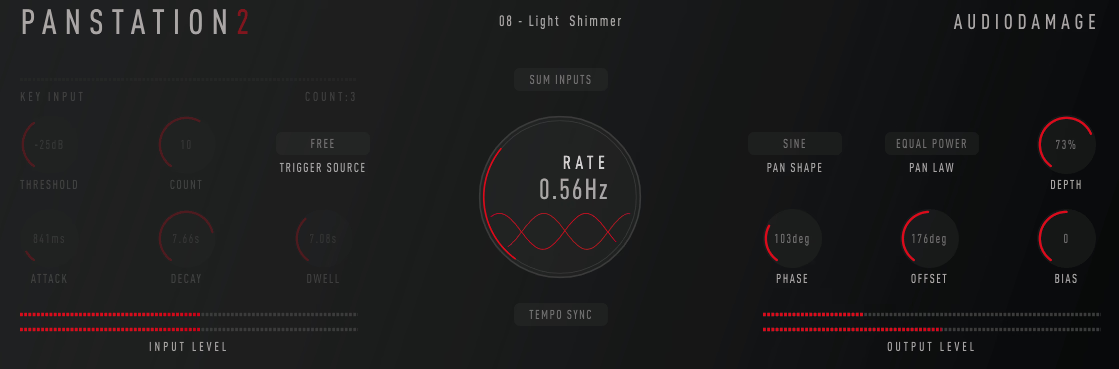
Audio Damage consistently delivers inventive processors with exceptional audio fidelity, and Panstation 2 exemplifies both qualities admirably. The twin modulator architecture distinguishes this from competitors – two autonomous LFOs collaborating generate spatial choreography unachievable through single-oscillator designs.
Modulation waveforms extend beyond conventional options, providing distinctive curves that inject personality and musicality. The intelligent aspect involves stereo field dimension manipulation occurring simultaneously with positional shifts – you’re not merely relocating sounds, you’re fundamentally reshaping spatial geometry for genuine three-dimensional depth.
Integrated filtering enables tonal sculpting of panned frequency content, unlocking creative avenues beyond pure positional control. Rhythmic panning sequences sound inherently musical thanks to sophisticated algorithmic foundations preventing mechanical repetition. Tempo locking maintains synchronization, while unsynced operation generates organic spatial drift.
Synthetic textures truly flourish – pads and atmospheres gain evolving spatial dimension feeling genuinely alive. Traditional instrumentation including guitar and keyboard receives width enhancement creating enveloping stereo presence. The preset collection spans transparent enhancement through experimental extremes.
Electronic genre production particularly leverages these capabilities where spatial dynamics significantly impact perceived production value. Audio quality remains pristine throughout – no artifacts or digital unpleasantness regardless of processing intensity.
3. SoundToys PanMan
- Compatibility: Windows, macOS
- Format: VST, VST3, AU, AAX
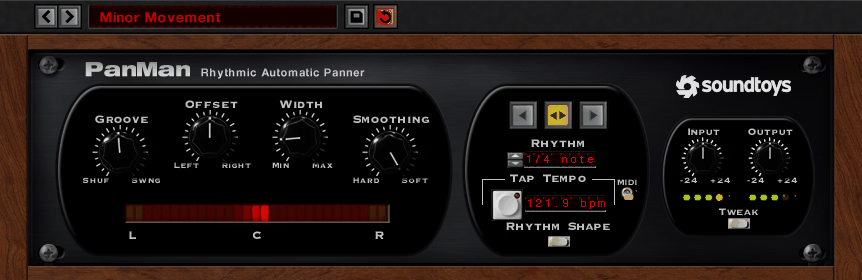
SoundToys established their reputation through inspiring creative processors, and PanMan pushes autopan boundaries into genuinely musical territory. The sequence programming system enables precise panning choreography rather than exclusive LFO curve reliance – achieving complex rhythmic spatial patterns that manual automation makes impractical.
The distinguishing characteristic involves trigger-based functionality – panning responds dynamically to signal characteristics, creating movement feeling responsive and organic rather than mechanically looping. Groove pattern templates deliver instant musical results while illustrating creative possibilities you might overlook.
Analog character mode introduces vintage-inspired irregularities – subtle timing deviations and drift generating organic warmth. Contemporary mode maintains pristine accuracy for modern production aesthetics. Accent capabilities emphasize particular rhythmic points within sequences for expressive dynamics.
Percussive elements gain groove enhancement through syncopated spatial choreography. Sustained pad sounds receive evolving width maintaining engagement across extended durations. The hardware-derived character adds dimensionality beyond mere spatial positioning – warmth and depth exist within the processing itself.
Parallel mixing through blend control preserves transient definition while layering spatial texture beneath. Vocal applications can achieve interesting width treatments when applied judiciously without compromising mono translation. It’s become invaluable for injecting movement into static mix elements.
4. MeldaProduction MAutopan (Free)
- Compatibility: Windows, macOS
- Format: VST, VST3, AU, AAX
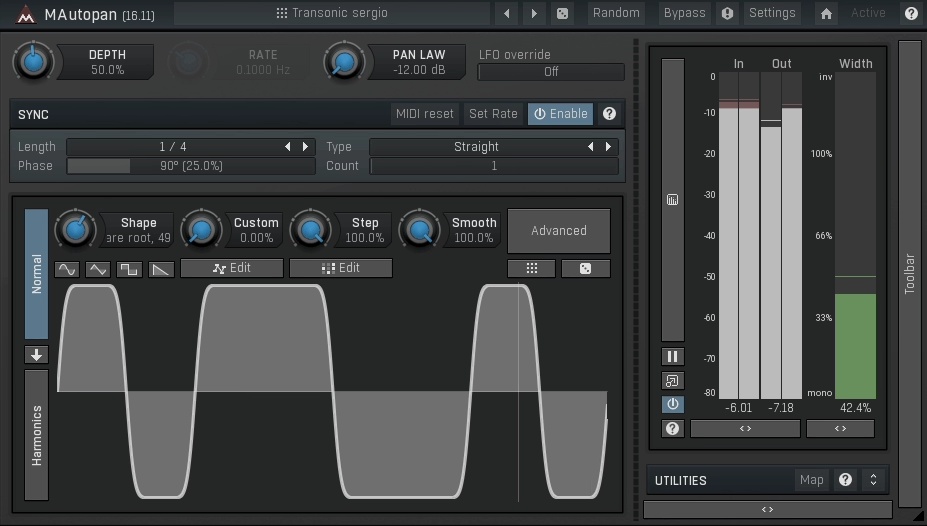
Melda’s design philosophy emphasizes exhaustive parameter access, and MAutopan embodies that approach without financial cost.
Comprehensive modulation options, tempo integration, and adjustable intensity span whisper-subtle through dramatically dominant ranges. The visual monitoring system displays stereo field activity transparently – understanding supersedes guesswork entirely. Frequency band division enables independent range panning – maintain bass focus while dispersing upper spectrum.
Mid-side processing integration introduces additional creative dimensions for sophisticated stereo manipulation. The interface presents extensive parameters potentially appearing overwhelming initially, though Melda’s organizational logic becomes apparent through minimal exploration. Randomization functions spark unexpected creative directions when inspiration falters.
Synthetic sound sources particularly thrive through spatial movement adding dimension and engagement. Drum processing with subtle rhythmic panning enhances groove without becoming distracting. Computational efficiency excels – multiple instances operate smoothly without system burden.
5. Waves Brauer Motion
- Compatibility: Windows, macOS
- Format: VST, VST3, AU, AAX
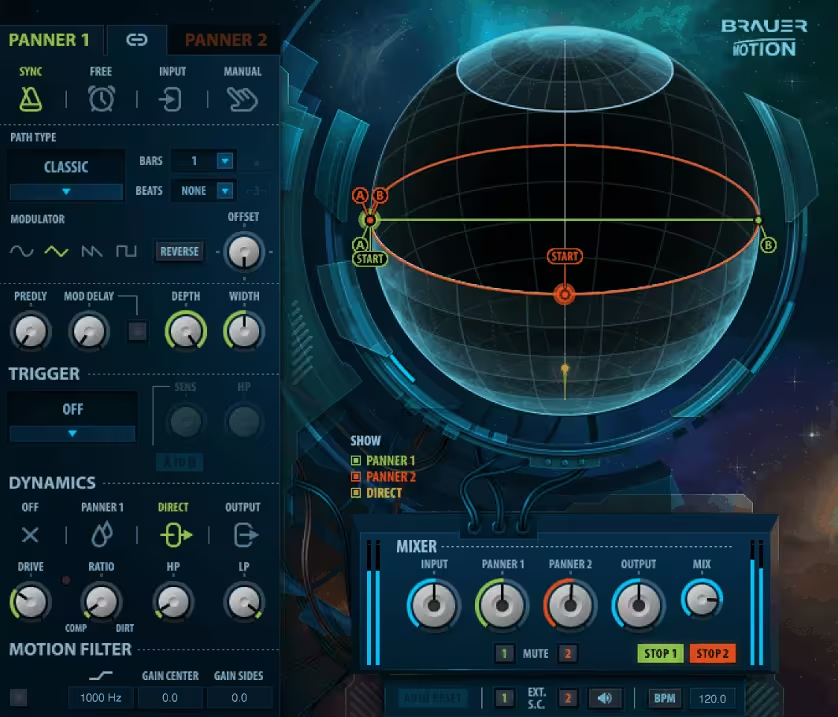
Michael Brauer’s mixing pedigree remains legendary, and Waves Brauer Motion translates his professional spatial movement methodology into software form. Rather than generic autopan functionality, this represents how elite mixers actually employ spatial dynamics in commercially successful productions.
Application-organized presets – vocals, guitars, synths, percussion – reflect genuine mixing scenarios rather than abstract effect labels. This pragmatic design delivers immediately practical results without extensive parameter adjustment. The combined modulation types operating simultaneously create complex spatial movement sounding inherently musical and professional.
Internal signal architecture generates dimension extending beyond simple horizontal positioning. Tempo integration maintains rhythmic movement locked precisely. The parameter calibration ensures musical results throughout ranges – extreme settings remain usable rather than producing unusable results.
Analog mode introduces vintage characteristics – subtle warmth and irregularity creating organic feel. Vocal processing gains dimension without losing clarity or frontal presence. Guitar treatment receives spatial enhancement positioning them beautifully within frequency spectrum. Pad sounds develop evolving width creating enveloping atmospheric depth.
The workflow-optimized interface avoids unnecessary complication – Waves prioritized operational efficiency. Parallel processing through blend control maintains transient punch while adding spatial texture layers.
6. Rhodes V-PAN
- Compatibility: Windows, macOS
- Format: VST, VST3, AU, AAX
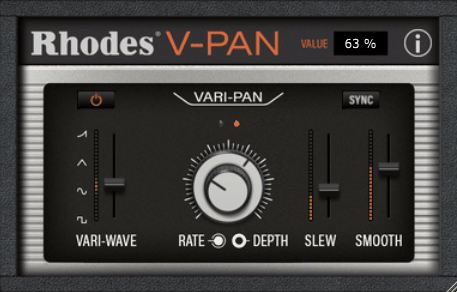
Rhodes V-PAN approaches stereo movement distinctively by merging vintage panning philosophy with contemporary processing capabilities. The foundational algorithm draws from classical spatial techniques while extending them through modern features expanding creative scope.
What distinguishes this involves width and depth sculpting integrating with positional movement. You’re not merely panning – you’re actively reshaping three-dimensional acoustic space in manners static placement cannot accomplish. This proves particularly valuable for generating separation within dense arrangements where conventional panning feels restrictive.
LFO waveform options include standard shapes plus distinctive curves producing interesting modulation characteristics. Tempo locking maintains synchronization, free operation permits natural drift. The intensity parameter scales from barely perceptible through completely dominating.
There’s a sonic quality beyond pure positioning adding dimension and character. String instruments sound gorgeous – gaining spatial presence situating them naturally within arrangements. Keyboard sounds benefit from width evolution creating enveloping soundscapes. The vintage character imparts warmth alongside spatial movement.
Minimal CPU requirements make liberal usage practical throughout large projects. Preset collection demonstrates applications spanning subtle through creative. Clean audio processing maintains signal integrity throughout.
7. quietformat Auralis Multi Mod (FREE)
- Compatibility: Windows, macOS
- Format: VST, VST3, AU
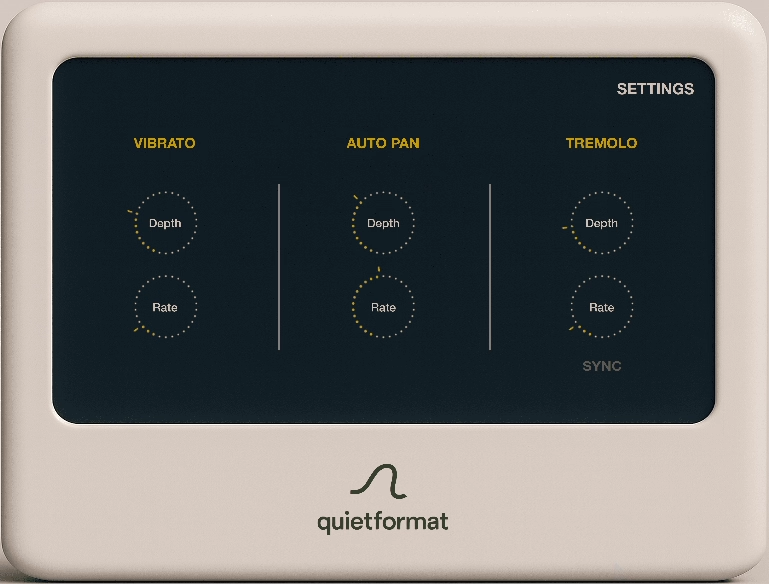
quietformat’s Auralis Multi Mod demonstrates free software can match premium standards – this represents a comprehensive modulation platform including excellent autopan alongside additional creative processors. The multi-effect design provides panning, amplitude modulation, and spatial processing through unified interface.
The visual design achieves both aesthetic appeal and functional utility – real-time modulation display with transparent feedback showing precisely what occurs. Multiple modulation sources operating simultaneously enable complex movement patterns. Waveform variety extends beyond basics with interesting shapes.
What genuinely impresses for free software is the audio quality – this easily rivals commercial products. Tempo synchronization maintains rhythmic precision, and pattern complexity achievable opens creative doors. Stereo width manipulation shapes spatial characteristics.
Electronic production leverages the creative modulation capabilities brilliantly. Atmospheric sounds gain evolving spatial dimension, while rhythmic elements receive interesting stereo patterning. Preset library demonstrates diverse possibilities.
Being completely free democratizes access to professional tools. Computational efficiency allows generous usage. The developer clearly prioritizes quality over monetization.
8. Audiomodern Panflow (Free)
- Compatibility: Windows, macOS
- Format: VST, VST3, AU
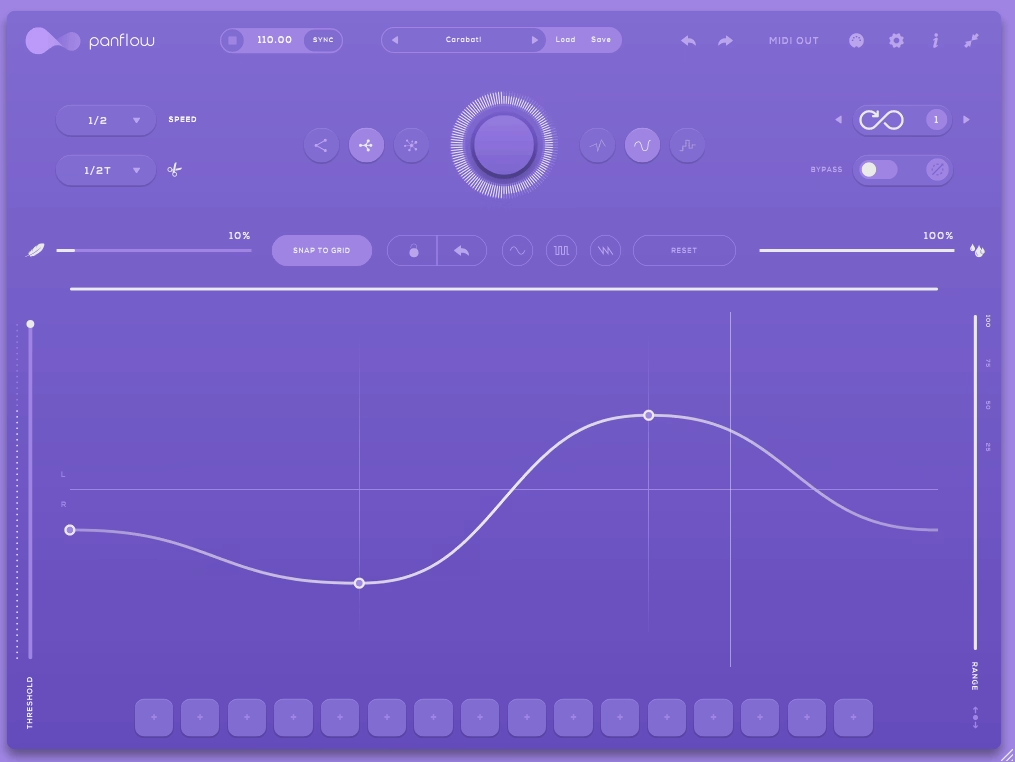
Audiomodern concentrates on innovative sound design utilities, and Panflow applies that philosophy toward autopan with interesting results. The complimentary version delivers substantial functionality, with paid expansion available for additional features.
The flow-oriented interface makes complex panning pattern creation intuitive rather than confusing. Visual feedback displays stereo movement transparently, and modulation parameters span simple sweeps through intricate rhythmic sequences. Tempo synchronization works flawlessly.
Waveform variety includes conventional options plus unique shapes generating distinctive character. Intensity and speed parameters cover practical ranges. The rhythmic panning capabilities sound musical – patterns feel intentional rather than mechanical.
Electronic music production particularly benefits from spatial movement enhancing synthetic textures. Percussion elements gain groove through rhythmic positioning. Ambient material develops evolving width creating enveloping soundscapes.
9. Consint Panacea (FREE)
- Compatibility: Windows, macOS
- Format: VST, VST3, AU
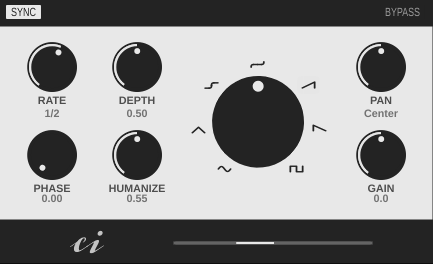
Consint’s Panacea embraces focused simplicity – executing essential autopan functions exceptionally well rather than overwhelming through features. The straightforward interface delivers results quickly without parameter deep-diving.
LFO-driven panning with adjustable waveforms, speed, and intensity handles typical autopan requirements. Tempo locking synchronizes to projects, free mode generates organic movement. The sound quality excels – pristine and artifact-free.
What’s appealing is the uncomplicated approach – achieving basic panning effects doesn’t require navigating numerous controls. Clean processing preserves audio integrity. CPU footprint remains negligible.
Beginners appreciate learning stereo effects without overwhelming complexity. Experienced users value it for efficient, straightforward panning when elaborate features aren’t necessary. Dependable and efficient.
10. BPB & HY-Plugins HY-TP2
- Compatibility: Windows, macOS
- Format: VST, AU
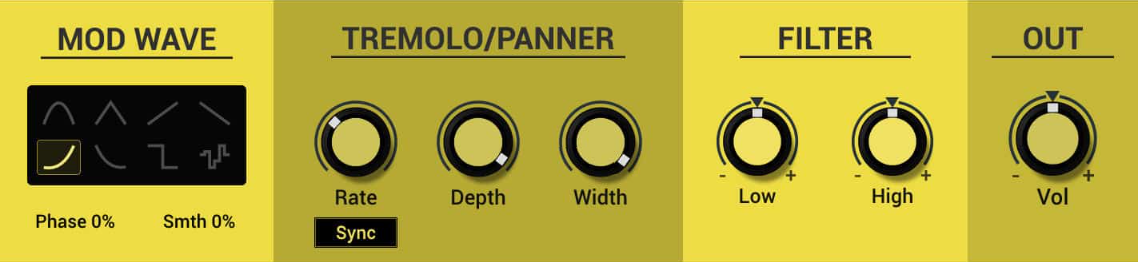
HY-TP2 merits mention because it packages tremolo and autopan together completely free. Dual functionality means two effects without cost.
The panning function generates stereo spatial movement with controllable speed and intensity. Waveform options provide sine, triangle, and square for varied characteristics. Accessible interface welcomes beginners.
Efficient and lightweight – numerous instances run without system burden. The fundamental functionality performs reliably for straightforward panning tasks. Free distribution eliminates financial obstacles.
Though lacking advanced capabilities found in premium products, it produces solid results for basic autopan needs. Sometimes simple effectiveness is precisely what’s required.
11. Cableguys PanCake2 (FREE)
- Compatibility: Windows, macOS
- Format: VST, VST3, AU, AAX
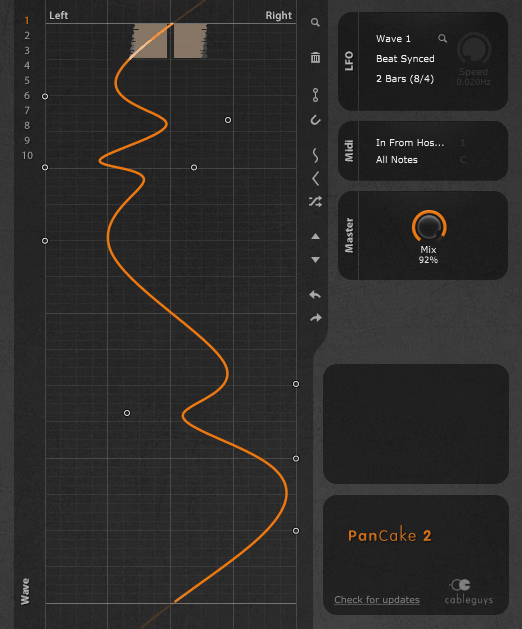
PanCake2 is a free autopan plugin by Cableguys. What’s striking is the sound quality – professional, clean, pristine. Computational efficiency impresses despite sophisticated processing. Multiband functionality makes this genuinely competitive with expensive plugins.
The visual waveform representation displays panning movement transparently. Frequency band splitting enables independent panning per range – maintain bass centeredness while sweeping treble. This represents professional-grade control at zero cost.
Tempo synchronization locks perfectly to DAW timing. Pattern creation feels intuitive, and modulation capabilities generate everything from gentle movement through dramatic spatial effects. Preset collection offers valuable starting points.
Synthesizers and pads sound fantastic with frequency-specific spatial treatment creating dimension. Percussive elements benefit from subtle rhythmic positioning. The free price makes this an obvious addition to any collection.
This demonstrates free software can match professional standards when developers prioritize quality. Cableguys deserve recognition for accessibility commitment.
Hello, this blog is about more than just chorus, bass and synths. In fact, I started it to cover best VST plugins and Kontakt libraries, so you have easier time finding the right tools and instruments for your music production needs, mixing, as well as mastering. New tools and instruments are constantly evolving and need to get in front of audience, because even some of the best brands like Antelope Audio aren’t talked about enough – that’s what I want to change. I want to promote plugins that are less known but are perfectly relevant for certain topics.