
Getting competitive loudness without sacrificing audio quality has become essential in modern production, where streaming platforms and radio play demand tracks that can hold their own against everything else in a playlist.
Clippers have evolved from being considered mastering errors to purposeful creative tools that add punch, control peaks transparently, and create the saturated character defining contemporary mixes across genres. The plugins including AIR Soft Clipper, Venn Audio V-Clip 2, Schwabe Digital Gold Clip Pack, Yum Audio Crispy Clip and some others plus several excellent free options range from transparent peak controllers to aggressive saturation processors that fundamentally shape your sound.
Understanding the difference between intelligent clipping and digital distortion comes down to algorithm design and how it treats your audio. Soft clipping gently rounds peaks like a smooth curve, hard clipping removes them entirely with surgical precision, with various curve shapes between these approaches creating distinct tonal characteristics that can define your sonic signature.
Some operate purely digitally while others model analog saturation from tubes and transformers, with the most versatile options allowing you to blend both approaches until you find exactly what your track needs.
1. AIR Soft Clipper
- Compatibility: Windows, macOS
- Format: VST, VST3, AU, AAX
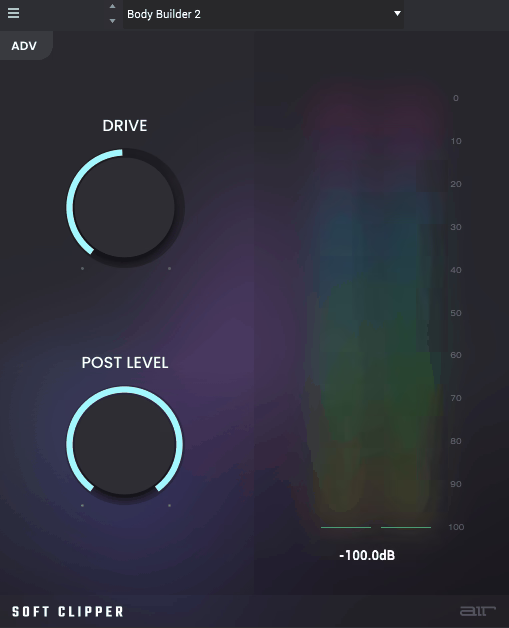
AIR Music Technology has built a solid reputation through their effects bundled with major DAWs over the years, establishing themselves as developers who understand professional workflow demands. Their approach to peak control prioritizes transparency and precision over aggressive coloration that announces processing presence, which makes their tools particularly valuable for mix bus applications where subtlety matters. Soft Clipper brings that professional philosophy to clipping with an emphasis on maintaining musicality throughout the process.
The soft clipping curve here creates gentle saturation rather than harsh distortion, treating your peaks with care rather than brutality. Peaks get smoothly rounded instead of abruptly chopped, maintaining musical character while increasing average level in ways that keep listeners engaged rather than fatigued.
This approach works particularly well on mix buses where loudness increase matters but obvious processing artifacts need avoiding at all costs, since they’ll reveal themselves across every element in your mix.
Threshold and ceiling controls offer precise boundary definition that gives you surgical control over exactly how the plugin behaves.
You determine how hard peaks hit the clipper and where output stops – both independently adjustable for the kind of detailed control that professional work demands. Clear metering displays exactly what’s occurring with visual feedback about clipping activity and output level, removing the guesswork from your processing decisions.
Mix buses benefit significantly from this transparent processing approach. Gentle clipping adds cohesion and perceived loudness without the pumping or breathing artifacts that aggressive limiting introduces, which can destroy the natural dynamics that make music feel alive. Individual tracks also respond well to this treatment, receiving controlled saturation that adds subtle harmonic enrichment without fundamentally changing the character you’ve carefully crafted.
2. Venn Audio V-Clip 2
- Compatibility: Windows, macOS
- Format: VST, VST3, AU, AAX
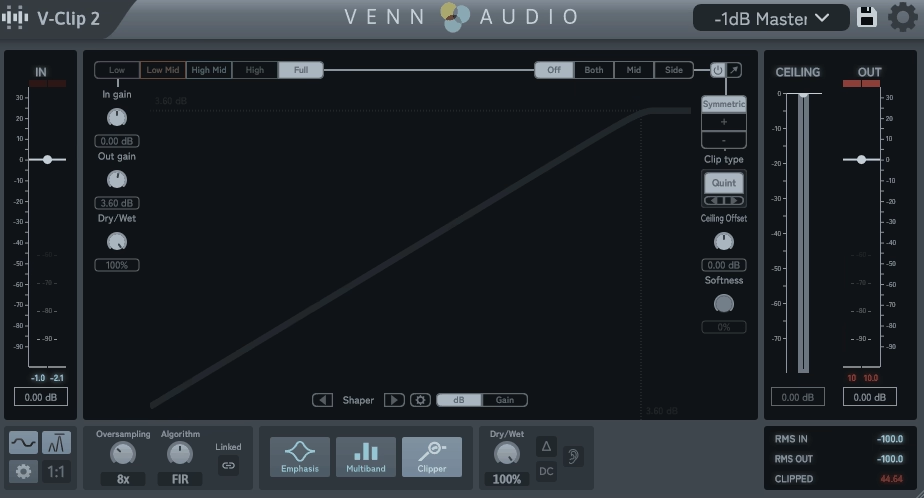
Taking a scientific approach to clipping with extensive curve options and precise parameter control, this plugin provides comprehensive tools for shaping clipping behavior in ways that go beyond basic soft-or-hard decisions. This extends beyond simple soft versus hard choices into a complete toolkit for precise peak control that adapts to whatever your material needs, whether you’re working with delicate acoustic recordings or aggressive electronic productions.
Multiple clipping curves deliver tonal variety across different processing needs, giving you options that range from subtle enhancement to dramatic transformation.
Soft curves suit gentle saturation applications where you want transparency, hard curves handle aggressive limiting where maximum loudness matters most, with numerous intermediate shapes creating varied harmonic characteristics that can define your sonic signature. Venn Audio’s V-Clip 2 offers this flexibility while maintaining consistent sonic quality across all curve types, which helps you match clipping behavior to source material and desired aesthetic outcomes.
Oversampling options reduce aliasing artifacts that can occur during clipping processes, those unwanted high-frequency components that can make your audio sound harsh and digital.
Higher oversampling rates produce cleaner results, though at increased CPU cost – offering quality-versus-efficiency tradeoff control that lets you prioritize what matters most for each situation. Final mastering applications benefit from maximum oversampling ensuring the cleanest possible output when you’re creating the version that will represent your work to the world.
3. Schwabe Digital Gold Clip Pack
- Compatibility: Windows, macOS
- Format: VST, VST3, AU, AAX
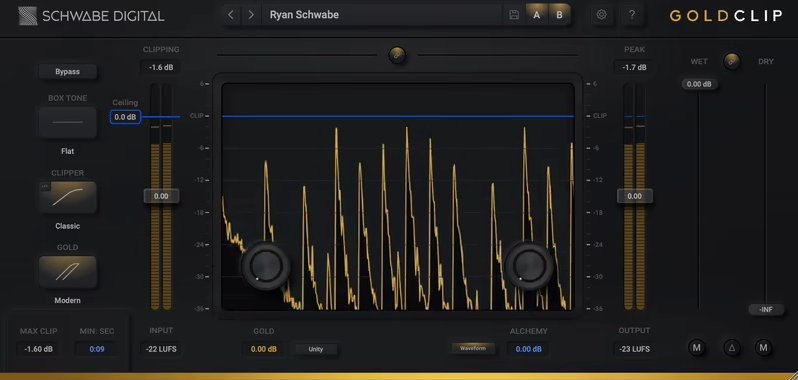
Rather than offering single processing approach that attempts to handle everything adequately, this package bundles multiple clipping algorithms into one comprehensive collection. You receive varied clipping types suited to different applications, creating versatility across production scenarios that would otherwise require purchasing several separate plugins to achieve the same range of possibilities.
The pack includes soft clippers, hard clippers, and specialty variants targeting specific use cases with algorithms optimized for the unique challenges each presents. Different algorithms optimize for drums versus vocals versus full mixes – each one carefully tuned for particular source characteristics that make those sources behave differently under processing. Schwabe Digital’s Gold Clip Pack demonstrates that this specialization produces better results than generic one-size-fits-all designs that compromise to handle everything but excel at nothing.
Harmonic content generation varies between the included clippers in ways that fundamentally affect the tonal outcome. Some introduce subtle even harmonics for warmth that makes material feel more analog and pleasing, while others add odd harmonics for aggression and edge that helps elements cut through dense mixes. Understanding these harmonic differences helps you choose appropriate clippers for desired tonal outcomes rather than randomly cycling through options hoping something works.
Presets demonstrate effective applications across the included clippers with real-world scenarios that producers actually encounter. Common scenarios receive proper starting points – drum bus, vocal chain, master bus – illustrating professional techniques rather than generic settings that provide no educational value. This educational aspect aids skill development by showing you how experienced engineers approach these processing decisions.
4. Yum Audio Crispy Clip
- Compatibility: Windows, macOS
- Format: VST, VST3, AU, AAX
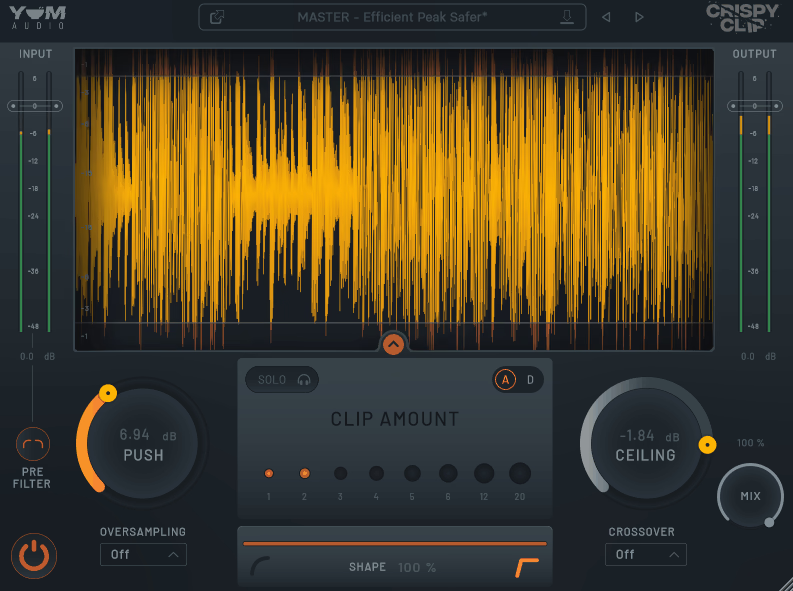
Emphasizing aggressive saturation and maximum loudness rather than subtlety, this plugin delivers exactly what its name suggests with confidence.
The crispy, saturated clipping here is designed specifically for modern production aesthetics requiring forward energy that grabs listeners’ attention immediately, making it particularly valuable for genres where maximum impact matters more than transparency.
The algorithm pushes harder than transparent clippers would dare, creating obvious saturation character that becomes part of your sonic signature. This represents dominant processing that shapes sound significantly rather than subtle background enhancement that hides in the mix, which makes it perfect for genres demanding maximum energy and aggression where restraint is the enemy. Yum Audio’s Crispy Clip doesn’t apologize for its forwardness – it embraces the aesthetic completely.
Multiple saturation modes provide varying aggression levels that range from moderate to extreme. From moderate saturation that adds character through extreme clipping that approaches distortion territory, you control processing intensity to match your material’s needs and your artistic vision.
The most extreme settings create textures approaching distortion while somehow maintaining musical cohesion that keeps everything working together rather than falling apart.
Bass enhancement features add low-end weight during clipping, addressing a common problem with aggressive peak limiting. Rather than just limiting peaks and hoping the low end survives intact, it actively shapes frequency balance to maintain or even increase low-frequency power. This prevents the thin sound that some aggressive clipping can create when it removes too much energy from the bottom octaves.
5. Kazrog kclip 3
- Compatibility: Windows, macOS
- Format: VST, VST3, AU, AAX
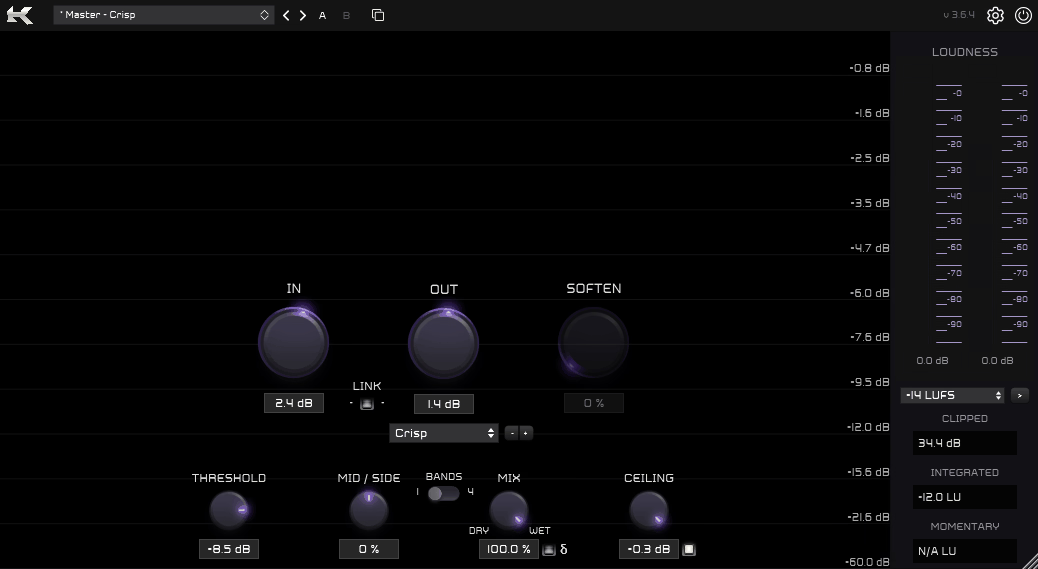
Earning respect in professional mastering circles through consistent results and thoughtful design, this plugin represents surgical precision for achieving competitive loudness. This extends beyond consumer-level loudness maximization into professional-grade peak control that maintains audio quality even under extreme processing conditions, which explains why mastering engineers who stake their reputations on every release consistently recommend it.
True peak limiting prevents inter-sample peaks causing distortion during format conversion, those problematic peaks that standard meters miss entirely. This matters significantly for streaming and broadcast where audio undergoes re-encoding through lossy codecs that can turn inter-sample peaks into audible distortion. Preventing these peaks ensures masters survive format conversion intact, sounding the way you intended regardless of playback platform. Kazrog’s kclip 3 handles this technical challenge elegantly while remaining musically transparent.
The clipping algorithm maintains transparency at moderate settings while providing aggressive loudness capability when you need to push harder. Versatility spans different mastering goals – from gentle mix bus enhancement that adds subtle cohesion through maximum loudness limiting that achieves competitive streaming levels. This range makes it valuable across different genres and loudness requirements.
Integrated dithering options for bit depth reduction complete the mastering chain within a single plugin. Full functionality including final dither stage permits handling entire mastering processes without additional plugins cluttering your signal chain, streamlining workflow when you’re preparing final deliverables for distribution.
6. Canvas Audio Cactus Clipper
- Compatibility: Windows, macOS
- Format: VST, VST3, AU, AAX
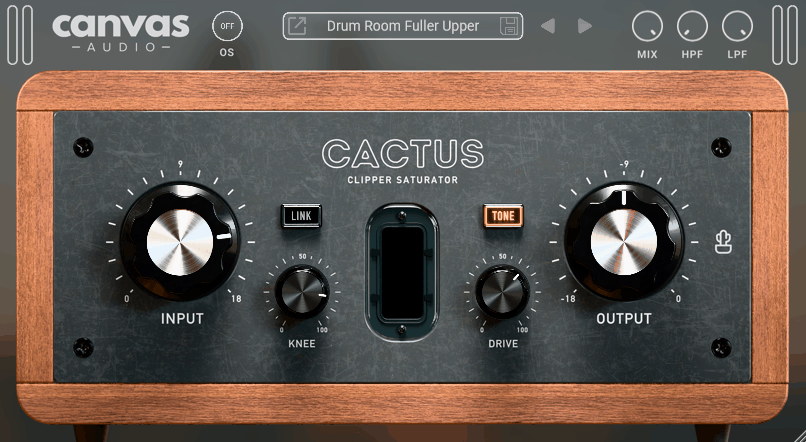
Focusing on musical clipping that enhances rather than just limits peaks mechanically, this plugin centers on adding character while controlling dynamics. The philosophy emphasizes musical enhancement alongside technical peak control rather than treating clipping as purely corrective processing, which opens up creative possibilities beyond simple loudness maximization.
Analog modeling introduces harmonic content enriching tone in ways that pure digital clipping cannot achieve. This extends beyond clean digital clipping into modeling tube and transformer behavior that adds warmth and dimension recognizable from classic recordings.
The saturation creates genuine musicality alongside loudness increase, making it valuable even when you’re not chasing maximum loudness. Canvas Audio’s Cactus Clipper succeeds by treating clipping as enhancement rather than just limitation.
Multiple stages permit progressive clipping through serial processing that distributes the workload intelligently. Gentle clipping at multiple points often sounds smoother than extreme clipping concentrated at single stages, creating more natural-sounding results that don’t announce their processing presence. This staged approach mirrors how analog chains actually function in practice, where signals pass through multiple saturation stages accumulating character gradually.
Tone shaping controls adjust harmonic character during clipping rather than just offering a single fixed tonality. Brighter or darker saturation suits different material and goals, giving you control over color beyond just the amount of clipping applied. This flexibility helps the plugin adapt to various sources rather than imposing one sonic signature on everything.
7. SIR StandardCLIP
- Compatibility: Windows, macOS
- Format: VST, VST3, AU, AAX
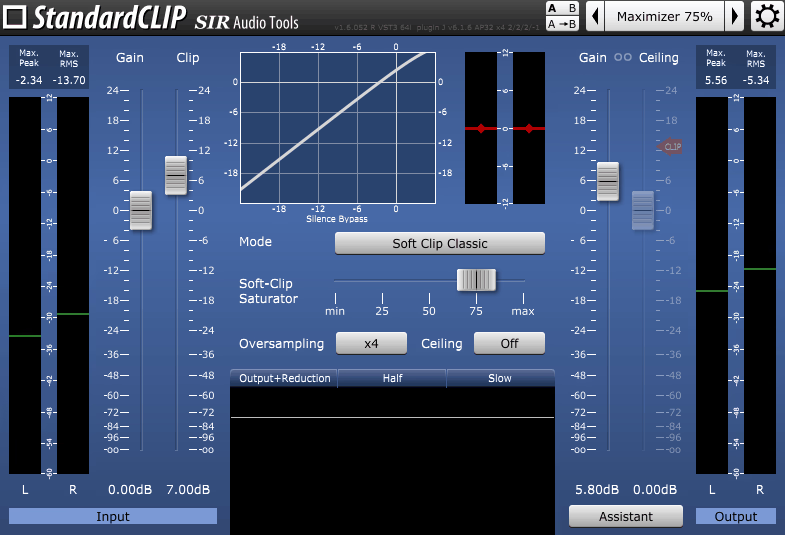
Providing straightforward, effective clipping without unnecessary complications that slow you down, this plugin focuses on essential functionality executed well. This appeals to producers wanting tools that work reliably without requiring extensive manual study or endless tweaking to achieve usable results, which matters when deadlines loom and results matter more than exploration.
The clipping curve balances transparency and loudness effectively without favoring one at the expense of the other. Musical saturation increases level without harsh distortion that fatigues listeners, making it suitable for mix buses and mastering where character matters alongside control. SIR Audio Tools’ StandardCLIP achieves this balance through careful algorithm design that respects your audio.
Simple threshold control determines where clipping engages with basic adjustment that accelerates workflow. No complex multi-parameter interactions requiring deep understanding – just set engagement point, adjust output gain to compensate, done. This simplicity means you spend time making music rather than fighting with processing tools that demand constant attention.
Clear metering shows clipping activity visually so you understand what’s happening without solely relying on your ears. Visual feedback confirms processing without requiring constant comparison listening that interrupts creative flow, helping you work efficiently during fast-paced sessions where momentum matters.
8. W.A. Production RedClip
- Compatibility: Windows, macOS
- Format: VST, VST3, AU, AAX
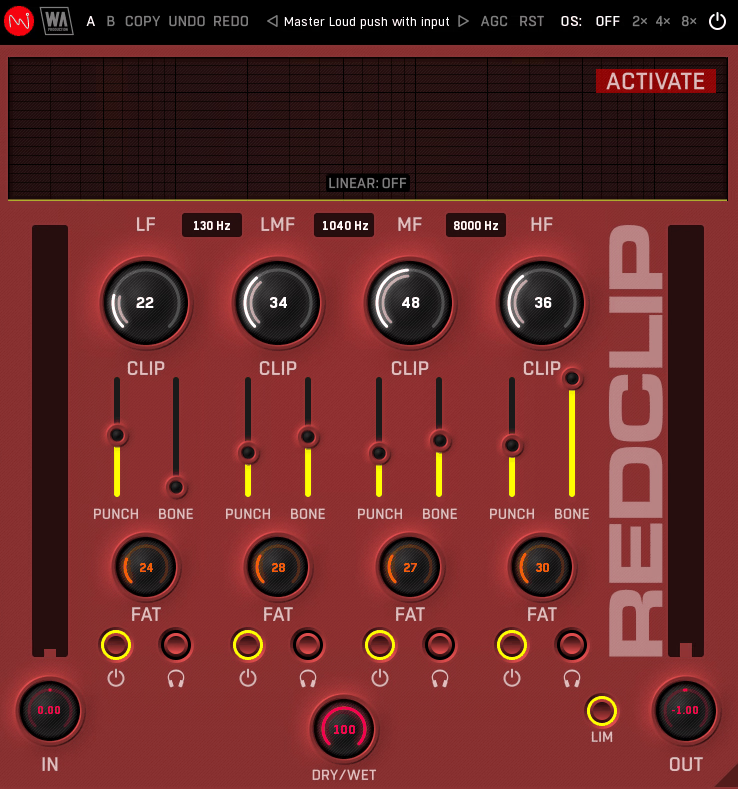
Combining clipping with additional saturation and limiting stages for comprehensive loudness maximization, this plugin takes a holistic approach. Multiple integrated processing types work together intelligently rather than operating in isolation, creating synergy that achieves results difficult with single-stage processing alone.
Multi-stage design allows progressive processing where each stage contributes without any single stage working too hard. Clipping, saturation, limiting all contribute their strengths for maximum loudness potential while minimizing the artifacts each processing type might introduce when pushed to extremes. W.A. Production’s RedClip demonstrates that this integrated approach often yields better results than extreme single-stage processing that relies on one algorithm to do everything.
Different algorithm modes target various genres and material types with optimizations reflecting how different music actually behaves. Electronic music presets versus rock presets acknowledge that these genres have different frequency content and dynamic characteristics requiring tailored approaches rather than generic processing that compromises to handle everything adequately.
Preset library provides excellent starting points that teach technique alongside offering practical utility. Genre-specific settings demonstrate effective multi-stage processing combinations, educating users about professional loudness maximization techniques while speeding up workflow for those who understand the principles.
9. PluginBoutique Dual Clip
- Compatibility: Windows, macOS
- Format: VST, VST3, AU, AAX
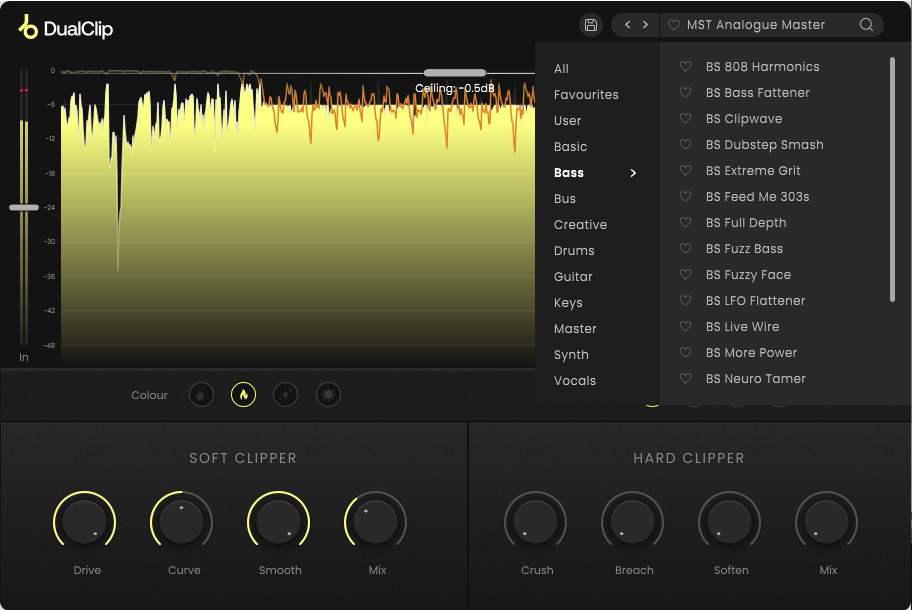
Offering parallel clipping with independent soft and hard clippers operating simultaneously, this plugin creates tonal complexity unavailable from single stages. The dual processing paths work together effectively to give you sonic characteristics impossible to achieve with series processing, opening creative possibilities that single-stage designs inherently cannot access.
Soft clipping provides warmth and gentle saturation that adds body without aggression. Hard clipping adds aggression and maximum loudness that pushes forward energy. Blending both creates unique character combining transparency and aggression simultaneously – getting you the best aspects of both approaches without compromise. PluginBoutique’s Dual Clip succeeds through this parallel architecture that lets seemingly contradictory characteristics coexist.
Independent control over each stage enables precise tonal shaping where you balance competing priorities. Soft clipper adds body to thin sources, hard clipper adds edge to dull material – you balance them according to material and aesthetic goals rather than accepting compromises inherent in single-stage designs that can’t simultaneously provide warmth and aggression.
Mix controls for each stage allow sophisticated parallel processing with flexibility beyond simple on-or-off switching. Varying amounts of soft versus hard clipping blended with clean signal creates extensive tonal possibilities from elegant two-stage architecture that remains comprehensible rather than overwhelming.
10. Softube Clipper
- Compatibility: Windows, macOS
- Format: VST, VST3, AU, AAX
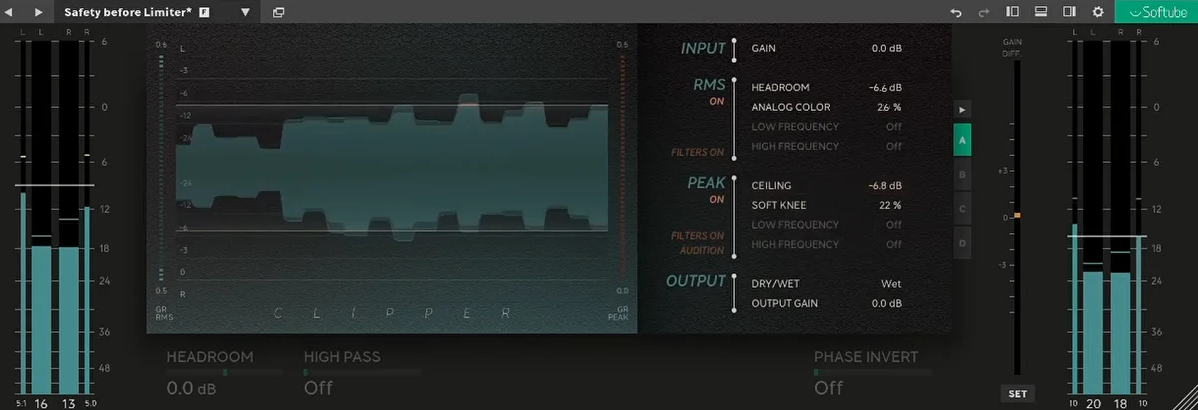
Bringing analog modeling expertise to clipping algorithms with careful attention to detail, this plugin models analog saturation behavior from tubes and transformers. Rather than pure digital clipping that removes peaks mathematically, this creates saturation that behaves like hardware you’d find in classic recording chains, which gives it character that purely digital processing struggles to achieve.
Analog character adds harmonic richness during clipping in ways that enhance musicality. This enrichment creates character beyond simple peak limitation, enhancing tone while controlling dynamics simultaneously so you’re accomplishing multiple goals with single processing stage. Softube’s Clipper succeeds through sophisticated modeling that captures hardware behavior authentically.
Multiple model types emulate different analog circuits with distinct sonic personalities. Tube saturation versus transformer saturation offer unique harmonic signatures that suit different material and aesthetic goals. Understanding these differences helps you choose appropriate modeling for whatever your source material needs rather than randomly trying options hoping something works.
Drive controls determine saturation intensity intuitively through single parameter that remains musical across its range. Gentle coloration through heavy distortion – everything’s available from one control, with analog modeling ensuring musical results across the entire range rather than becoming harsh or unusable at extreme settings.
11. MMS NovaClip
- Compatibility: Windows, macOS
- Format: VST, VST3, AU, AAX
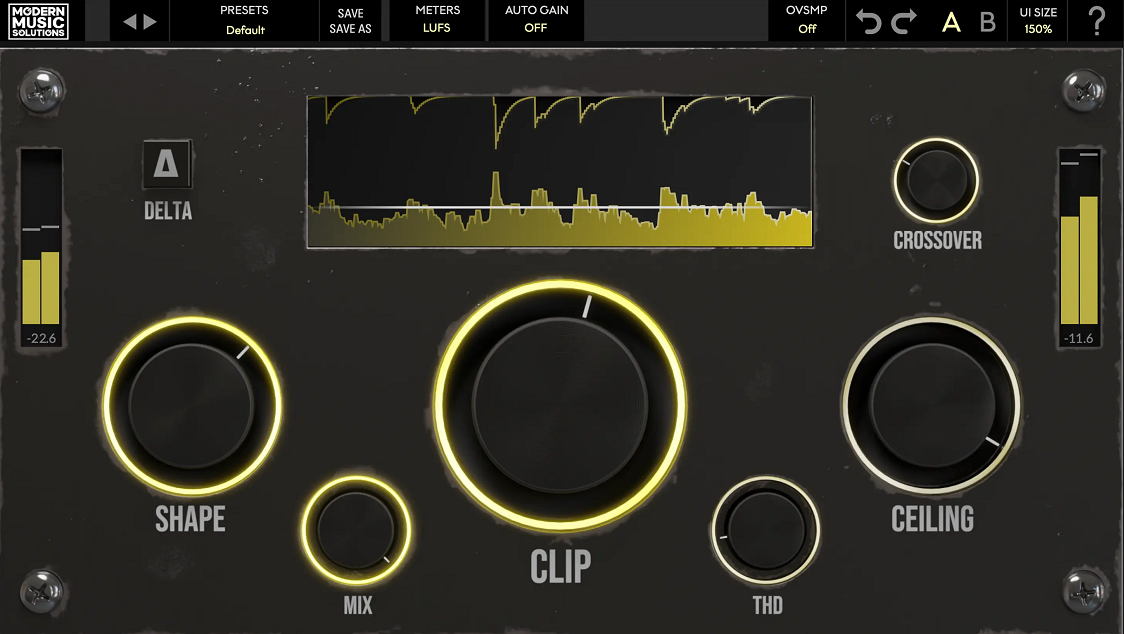
Focusing on transparent loudness maximization while maintaining audio quality throughout processing, this plugin prioritizes achieving competitive levels without sacrificing sonic integrity. The design philosophy emphasizes maintaining audio quality while reaching loudness targets that compete effectively in modern streaming environments where perceived volume significantly affects listener retention.
The algorithm balances loudness and transparency effectively through sophisticated curve design. Maximum level without obvious artifacts represents professional mastering goals, achieved through clipping curves that respect musical content rather than imposing mechanical behavior regardless of input characteristics. Modern Music Solutions’ NovaClip demonstrates that loudness and quality don’t have to be mutually exclusive when algorithms are designed thoughtfully.
Oversampling reduces aliasing for cleanest output possible by processing at higher sample rates internally. Higher sample rate processing during clipping stage prevents distortion artifacts that occur with basic implementations that cut corners for CPU efficiency, ensuring your final output maintains professional quality standards.
Comprehensive metering provides feedback covering everything you need to know. Input, output, reduction, true peak measurements display clearly for informed mastering decisions where understanding exactly what’s happening to your audio allows you to make better choices about how hard to push processing.
Freebies:
1. Outobugi Clamp
- Compatibility: Windows, macOS
- Format: VST, VST3, AU
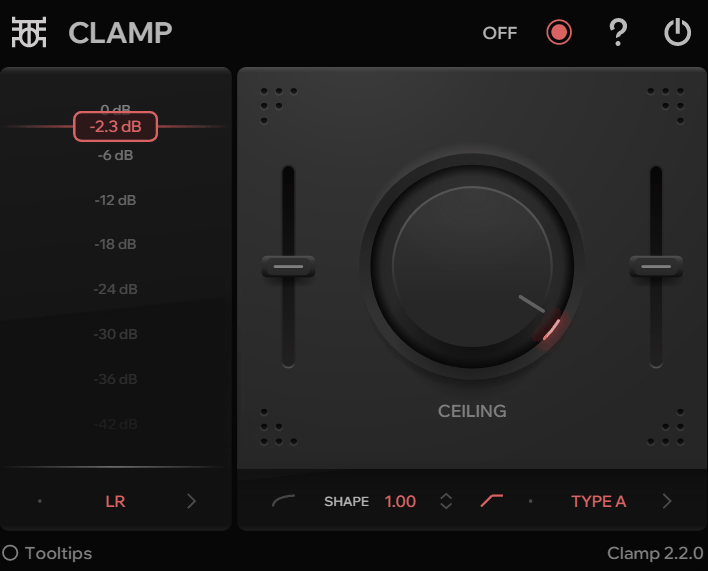
Taking minimalist approach with focus on sound quality over feature counts, this plugin presents just essential controls without overwhelming parameter counts that complicate rather than enhance. Outobugi’s Clamp proves that sometimes less really is more when execution focuses on core functionality.
The clipping algorithm sounds musical across settings regardless of how gently or aggressively you process. Transparent when needed, characterful when desired – versatility through quality implementation rather than through endless parameters that require deep understanding to use effectively.
Exceptional CPU efficiency permits liberal application across projects without system strain that would force selective usage. Minimal resource usage particularly suits producers using lower-powered systems or working with complex arrangements that already tax available resources before adding processing.
Visual design embraces simplicity through clear interface without unnecessary decoration that distracts from actual work. This keeps focus on sound rather than visual complexity that looks impressive but adds nothing to sonic results.
2. Venn Audio Free Clip 2
- Compatibility: Windows, macOS
- Format: VST, VST3, AU, AAX
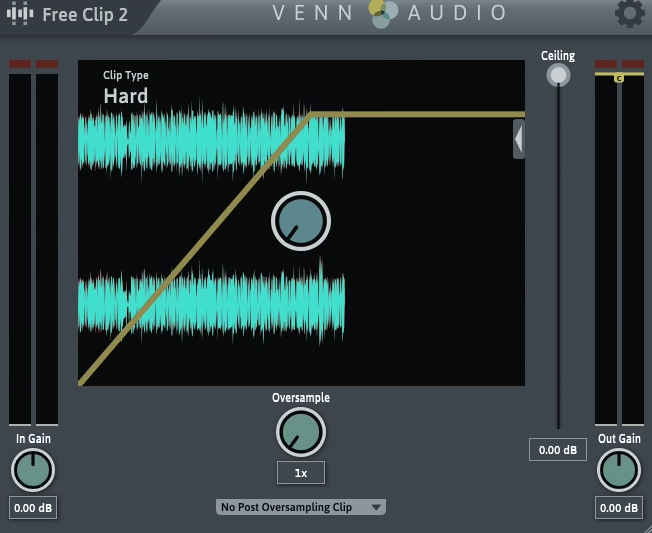
Delivering professional clipping algorithms without cost to users, this represents full-featured clipper provided free to the production community. This isn’t crippled demo with arbitrary limitations – it’s complete plugin provided generously to help producers achieve better results regardless of budget constraints.
Clipping curves maintain quality despite free pricing that might suggest compromises. Musical saturation increases loudness without harsh artifacts, making it completely suitable for professional work where quality standards cannot be compromised regardless of plugin cost. Venn Audio’s Free Clip 2 proves that free plugins can achieve professional quality when developers prioritize community service.
Multiple curve options provide real tonal variety across different processing needs. Different harmonic characteristics from various clipping shapes let you match processing to material and desired results rather than accepting one fixed character that must work for everything.
Clear metering shows clipping activity visually for better understanding. Visual feedback helps you grasp what’s happening without constant comparison listening that interrupts creative flow and slows workflow unnecessarily.
3. Yum Audio Crispy Clip Light
- Compatibility: Windows, macOS
- Format: VST, VST3, AU, AAX
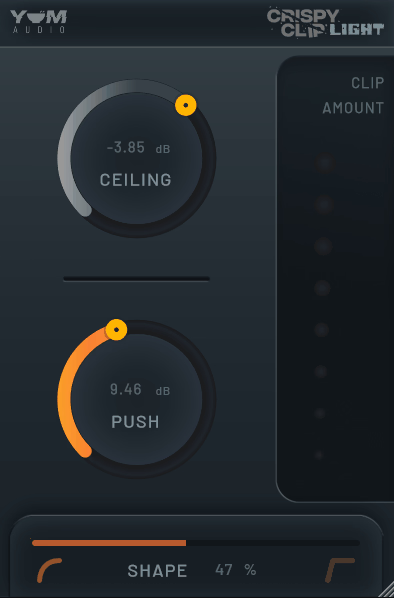
Offering aggressive clipping in streamlined free version that focuses on essentials, this provides Yum Audio’s signature character without cost barriers. While lighter on features compared to full paid version, core algorithm remains identical – meaning you get the same sonic quality that defines the brand’s approach to saturation.
Saturation character stays aggressive and energetic throughout processing regardless of settings. That crispy, saturated sound defining Yum Audio’s entire approach becomes available without cost, removing financial barriers to trying their distinctive processing style. Yum Audio’s Crispy Clip Light succeeds by maintaining sonic quality while simplifying the interface.
Essential controls cover primary uses effectively without overwhelming complexity. Threshold, output, saturation amount provide sufficient control for most applications without parameter overload that complicates workflow and slows down creative momentum.
Visual feedback confirms clipping activity clearly through reduction metering. Processing intensity displays in immediately understandable ways that help you dial in appropriate amounts without purely relying on fatigable ears.
4. PeakEater
- Compatibility: Windows, macOS
- Format: VST, VST3, AU
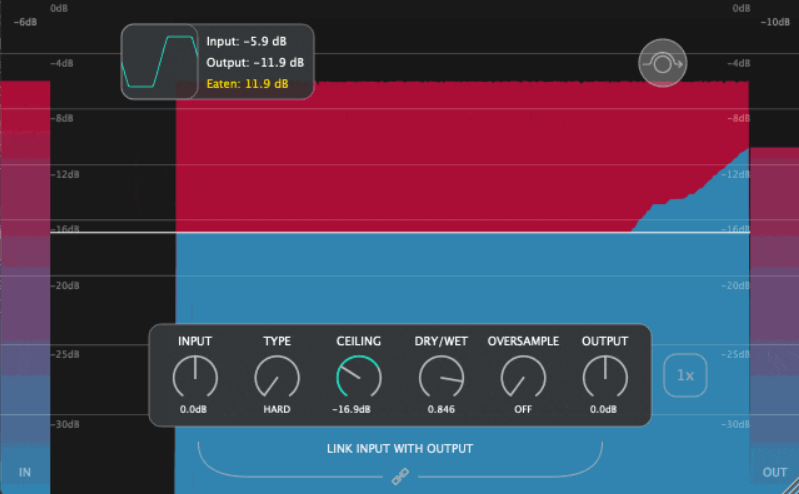
Providing effective clipping completely free to anyone who wants it, this plugin handles transparent loudness increase without quality compromise. The algorithm maintains professional standards despite zero cost that makes it accessible universally, proving that quality and price aren’t necessarily correlated when developers prioritize community contribution.
Clipping curves balance transparency and loudness remarkably well across different settings and source material. Musical results across various settings make this suitable for professional mixing and mastering work where quality cannot be compromised just because you’re using free tools instead of expensive alternatives. PeakEater from Bedroom Producers Blog demonstrates community spirit through quality free tools.
Controls stay simple and focused on what actually matters for results. Essential parameters without feature bloat that would complicate workflow unnecessarily when you’re trying to work efficiently, particularly valuable when working quickly under time pressure.
Metering displays clipping activity clearly through visual confirmation. This aids effective use without requiring constant listening comparison that breaks concentration and slows down workflow during creative sessions.
Being free genuinely democratizes professional loudness tools in meaningful ways. Quality processing becomes accessible regardless of budget constraints, lowering barriers to achieving competitive production quality that helps producers at all career stages compete effectively.
Hello, this blog is about more than just chorus, bass and synths. In fact, I started it to cover best VST plugins and Kontakt libraries, so you have easier time finding the right tools and instruments for your music production needs, mixing, as well as mastering. New tools and instruments are constantly evolving and need to get in front of audience, because even some of the best brands like Antelope Audio aren’t talked about enough – that’s what I want to change. I want to promote plugins that are less known but are perfectly relevant for certain topics.