
Dragging samples into your DAW without knowing their tempo is like trying to build a puzzle in the dark.
You’ll eventually figure it out, but why waste time guessing when technology can tell you instantly? Tempo detection plugins analyze your audio mathematically, extracting precise BPM information so everything locks together perfectly from the first bar.
These are the best bpm detector plugins I will talk about – Mixed In Key Live, Antares AutoKey 2, MeldaProduction MMetronome, HorNet SongKey MK4, and AlexHilton A1 TriggerGate. They handle tempo fluctuations in live recordings, detect musical key alongside tempo, and even tackle polyphonic material where multiple rhythmic layers create ambiguity.
Whether you’re working with electronic loops that need syncing or acoustic recordings with natural timing variations, these plugins deliver accurate results that keep your projects tight.
1. Mixed In Key Live
- Compatibility: Windows, macOS
- Format: VST, VST3, AU, AAX
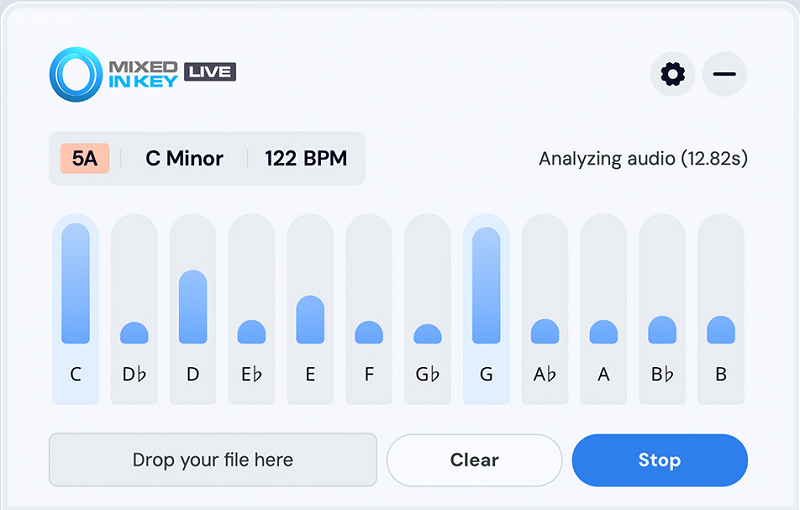
Clubs and radio stations rely on Mixed In Key’s technology daily. When a DJ’s reputation depends on seamless mixing, the analysis needs to be bulletproof. Mixed In Key Live brings that same dependability into studio production, processing audio in real-time without offline analysis delays.
The algorithm’s versatility across genres stands out immediately. Swing-heavy hip-hop? Perfectly detected. Rigid techno with quantized drums? Accurate down to the decimal. Jazz with human timing? It finds the average while respecting the natural push and pull. Material with tempo automation? It tracks changes smoothly throughout the track rather than giving up and reporting an average.
Here’s what makes the real-time processing so valuable – you’re getting instant feedback as audio streams through. No waiting for analysis to complete, no rendering passes, just immediate BPM and key information appearing as material plays. This transforms tracking sessions where you’re capturing live audio that needs identification on the fly.
Tempo ambiguity gets handled intelligently. When material could legitimately read as 87 BPM or 174 BPM – both mathematically correct depending on subdivision perception – it presents both interpretations rather than forcing one. This acknowledges that musical tempo isn’t always absolute, showing genuine understanding beyond pure math.
Key detection running parallel to tempo analysis creates comprehensive harmonic mixing capabilities. You’re not just matching speeds, you’re ensuring harmonic compatibility across your sample library and project elements. The visual interface communicates all this information clearly without becoming cluttered or confusing, which matters when you’re working fast.
The MIDI output options extend functionality beyond just displaying information. Route detected tempo to synchronize other plugins or external hardware, creating ecosystems that respond automatically to analyzed material. This practical connectivity elevates it from analysis tool to workflow hub.
2. Antares AutoKey 2
- Compatibility: Windows, macOS
- Format: VST, VST3, AU, AAX
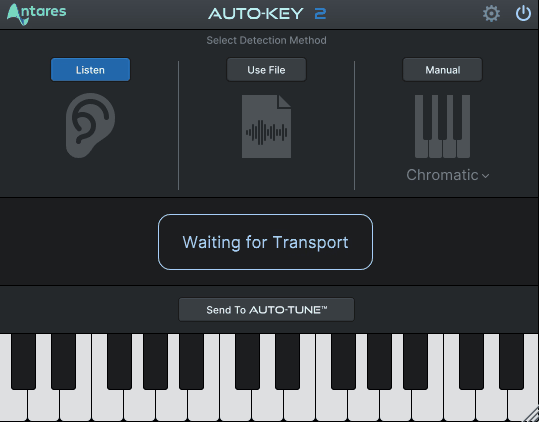
Auto-Tune dominates pitch correction, but Antares understands harmonic analysis at fundamental levels. AutoKey 2 focuses on key and scale detection primarily, with tempo analysis functioning as powerful secondary feature.
What’s interesting is how melodic and rhythmic information inform each other during analysis. When both harmonic content and rhythmic patterns contribute to detection algorithms, results improve noticeably on complex polyphonic material. The interplay between these musical elements creates more reliable identification than rhythm-only analysis.
Scale detection goes beyond surface-level major/minor identification. Modes, exotic scales, non-Western harmonic structures – all recognized accurately, which suggests sophisticated algorithms throughout. This depth in harmonic analysis presumably extends to tempo detection, confirmed through consistent accuracy across testing.
The interface communicates analytical certainty transparently through confidence indicators. When results feel uncertain, it tells you directly rather than presenting questionable data with false confidence. This honesty about analytical limitations proves more valuable than always forcing definitive answers.
For vocal-focused production, this makes particular sense. Melodic content aids tempo detection rather than complicating it, leveraging Antares’ core strength in harmonic analysis to improve BPM identification accuracy. When you’re working extensively with sung material, having tempo and key detection integrated with pitch correction workflow creates genuine efficiency.
Integration across Antares’ plugin ecosystem streamlines setup significantly. Detected key automatically configures Auto-Tune, detected tempo synchronizes delay times. Everything connects without manual data transfer, which matters during fast-paced sessions where every second counts.
The display prioritizes information density without overwhelming users. All relevant data appears simultaneously – key, scale, tempo, confidence metrics – without requiring menu diving or window switching. This accessibility serves multi-tasking producers who can’t afford to hunt for information during creative flow.
3. MeldaProduction MMetronome
- Compatibility: Windows, macOS
- Format: VST, VST3, AU, AAX
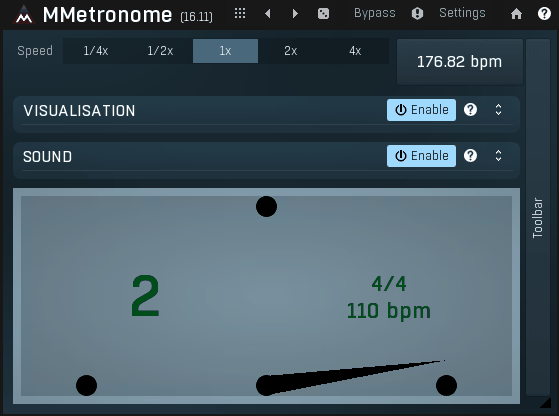
Melda’s philosophy involves packing extreme functionality into every release. MMetronome looks like a metronome superficially but functions as comprehensive tempo analysis and timing reference system.
Tempo curve visualization changes how you understand material with natural timing variations. Rather than reporting single BPM values for performances that actually fluctuate, it graphs tempo evolution across the timeline. This respects human performances that breathe naturally instead of maintaining robotic consistency. You see exactly how timing shifts throughout the material.
Detection methods include tap tempo and audio analysis. Tap input responds forgivingly to imperfect human timing, averaging intelligently to extract your intended tempo. Audio analysis handles complex scenarios – tempo changes, natural drift in live recordings, material with ambiguous rhythmic patterns.
Once tempo gets identified, the metronome becomes sophisticated reference tool. Extensive customization covers sounds, subdivisions, visual cues, with support for complex rhythmic patterns beyond basic quarter notes. This helps with polyrhythmic material or unusual time signatures that simpler metronomes can’t handle.
MIDI clock generation connects analysis to practical synchronization. Analyze audio, extract BPM, output MIDI clock automatically – driving external hardware or software at detected tempos without manual configuration. This bridges detection and application elegantly.
The interface follows Melda’s information-dense approach. Multiple simultaneous meters display detection confidence, tempo stability, analysis accuracy. Customization runs deep – adjust sensitivity, response characteristics, processing priorities based on material type. For electronic music with obvious beats, prioritize speed. For complex orchestral work, prioritize accuracy.
Processing settings let you control the speed-accuracy tradeoff. Need instant results on straightforward material? Lightning fast analysis. Working with challenging sources requiring maximum accuracy? Takes longer but delivers reliable results. You decide based on immediate workflow needs.
Material type presets optimize detection algorithms. Electronic preset for quantized drums, acoustic preset for natural timing, orchestral preset for complex arrangements. These presets reflect genuine understanding of how different musical styles present varying detection challenges.
4. HorNet SongKey MK4
- Compatibility: Windows, macOS
- Format: VST, VST3, AU, AAX
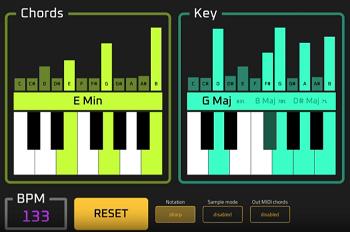
Comprehensive song analysis requires specialized tools. HorNet designed SongKey MK4 specifically for this purpose, covering tempo, key, and scale in focused package optimized for accuracy and speed.
The interface achieves rare balance – information clarity without overwhelming detail. Primary data displays prominently – tempo and key immediately visible – while secondary information like scale specifics and confidence metrics remain accessible without cluttering the view. This hierarchy supports fast-paced workflow effectively.
Live recordings with timing variations receive respectful analysis. Human feel gets preserved rather than forced into quantization that destroys organic quality. Average tempo appears alongside acknowledgment of natural fluctuation, providing useful information without compromising musical character.
Analysis speed impresses without accuracy sacrifice. Results appear within seconds, supporting rapid iteration when testing multiple samples to find perfect matches. This responsiveness matters significantly during creative flow when you’re moving quickly between ideas.
Harmonic analysis demonstrates musical sophistication. Modal scales, complex progressions, non-diatonic harmony – identified accurately across diverse styles. This suggests algorithms understanding sophisticated harmonic languages rather than assuming simple pop structures.
The MIDI generation feature based on detected key opens creative possibilities. Plugin outputs MIDI notes matching detected scale, usable for melodic composition guidance or ensuring harmonic consistency. This connects analysis directly to creation rather than providing isolated data.
Pricing makes this accessible universally. Professional analysis quality at affordable cost removes financial barriers completely. Value proposition is exceptional considering functionality delivered, making it viable across all budget levels.
5. AlexHilton A1 TriggerGate
- Compatibility: Windows, macOS
- Format: VST, VST3, AU
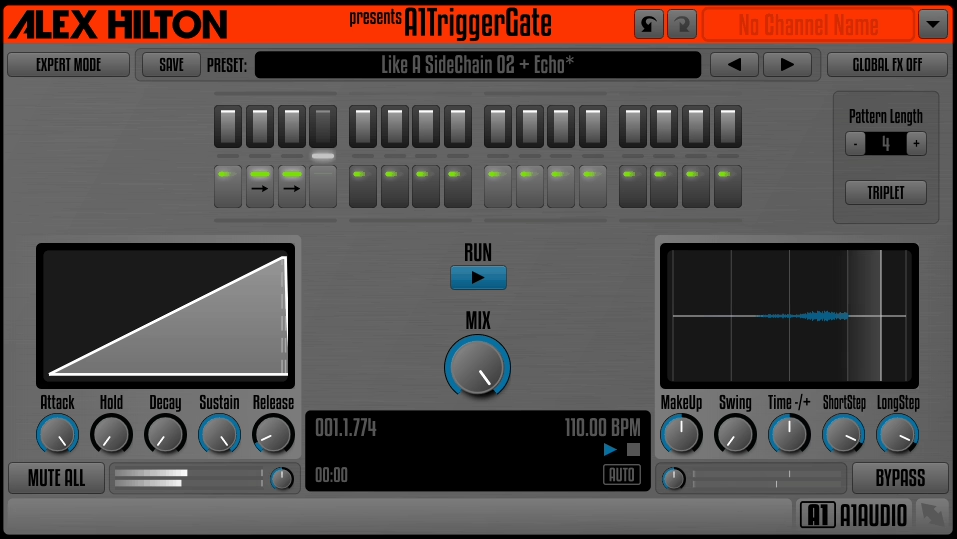
A1 TriggerGate approaches tempo detection from creative angle – rhythmic gating effect with integrated BPM analysis. This means detected tempo directly controls effect timing automatically rather than just displaying information.
The gate effect itself offers surprising sophistication. Multiple operational modes create varying textures – hard chopping, soft volume modulation, stutter effects. Detected tempo keeps everything synchronized rhythmically, producing musical results that feel intentional rather than random or mechanical.
Detection algorithms prioritize rhythmic content appropriately for gate applications. Material with clear beat patterns – drums, percussion, rhythmic loops – gets analyzed accurately. This focused approach yields better results for intended use than generalized detection attempting universal coverage.
Free availability from AlexHilton democratizes access completely. Freeware quality consistently exceeds expectations across their entire plugin range. Tempo detection here functions accurately enough for serious production use even when you’re not using the gate effect.
The workflow integration of detection and processing streamlines creative work significantly. BPM becomes creative parameter controlling gate synchronization automatically, eliminating manual tempo entry while ensuring perfect timing lock. This integration makes building rhythmic effects remarkably efficient.
Interface design reflects the dual functionality clearly. Analysis controls alongside effect parameters, with detected tempo displaying prominently while you adjust gate depth, timing, and character. Visual feedback connects detection confidence to resulting rhythmic patterns transparently.
This represents fundamentally different philosophy from pure analysis tools. Tempo detection serves creative application rather than existing as isolated information. Detection as means to creative end versus data for its own sake – genuinely alternative approach to the tempo detection problem.
Hello, this blog is about more than just chorus, bass and synths. In fact, I started it to cover best VST plugins and Kontakt libraries, so you have easier time finding the right tools and instruments for your music production needs, mixing, as well as mastering. New tools and instruments are constantly evolving and need to get in front of audience, because even some of the best brands like Antelope Audio aren’t talked about enough – that’s what I want to change. I want to promote plugins that are less known but are perfectly relevant for certain topics.