
If you’ve spent any time mixing, you’ll already be familiar with parametric EQ. Set a frequency, choose a bandwidth, dial in a boost or cut, and it stays there permanently. For a huge number of mixing tasks, that’s all you need.
Sometimes, though, a fixed EQ curve can be too heavy-handed. A vocal that’s harsh on certain notes but perfectly fine on others doesn’t really need a permanent cut at 4kHz. What you want is something that only kicks in when the problem actually appears.
That’s essentially what dynamic EQ does. Each band responds to the signal’s level in real time, activating only when the audio crosses a threshold you set. You get control over how quickly it reacts through attack and release settings, and the result is EQ processing that stays out of the way until it’s needed.
You’ll hear dynamic EQ mentioned alongside multiband compression, and there’s certainly overlap between the two. The key difference, though, is precision. Where a multiband compressor works with relatively broad crossover-based frequency bands, a dynamic EQ gives you the same surgical, narrow-band control as a regular parametric EQ, just with level-dependent behaviour added on top.
It’s useful for de-essing, taming resonances that come and go, managing low-end conflicts between kick and bass, smoothing out inconsistent vocal brightness, and dozens of other tasks where a permanent EQ move would be overkill.
The plugins we’ve rounded up here cover a wide spread, from deep, feature-packed workhorses to simple tools that get the job done quickly. Several are completely free. Here are 11 of the best dynamic EQ plugins available right now.
1. SSL X-DynEQ
- Compatibility: Windows/macOS
- Format: VST2, VST3, AU, AAX
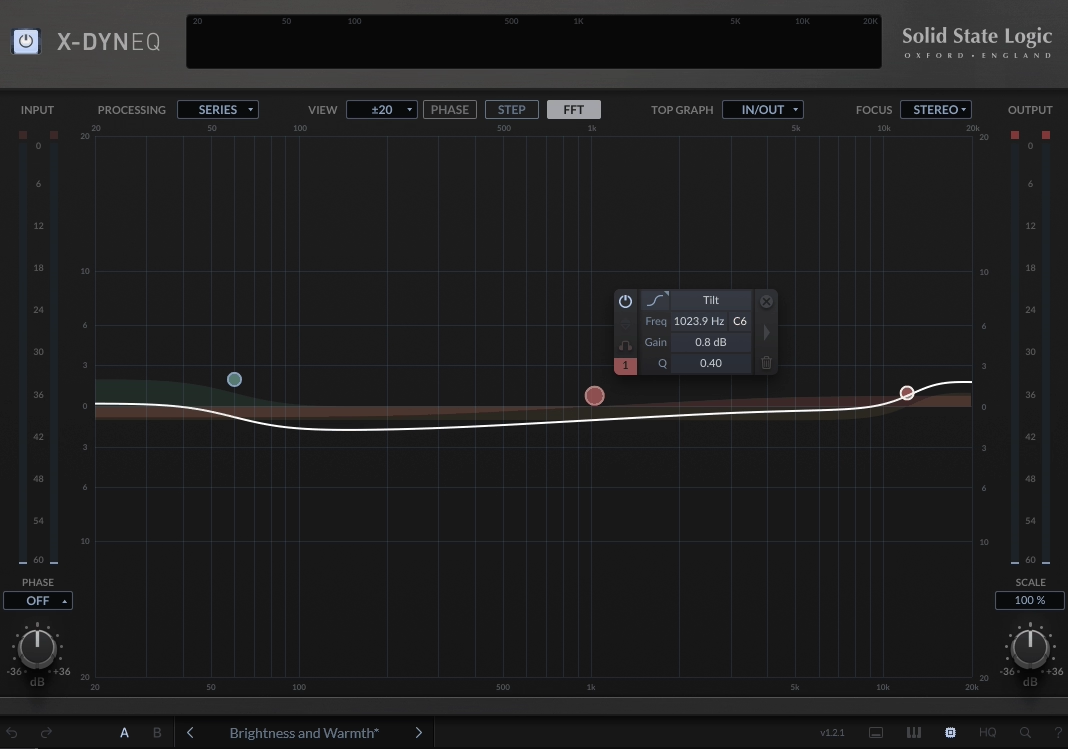
SSL has been building EQ circuits for decades, first in their legendary analogue mixing consoles and later in software. X-DynEQ is the company’s first dedicated dynamic EQ plugin, and it builds on the well-regarded X-EQ 2 platform with a full dynamic processing engine layered on top.
There’s a lot to get your teeth into. Up to 24 bands are on offer, each with a choice of 20 EQ and filter types including notch, bandpass and tilt shapes that weren’t in the original X-EQ 2. Any bell or shelf band can be flipped into dynamic mode, giving you threshold, attack and release controls. SSL have implemented Auto settings for the time constants that draw on their deep experience with program-dependent processing from the channel strip and bus compressor plugins, and in practice these tend to work well enough that you can just leave them alone.
Each band gets its own stereo mode (stereo, left, right, mid or side), and a Focus mode lets you isolate just the mid or side content for targeted processing. There’s internal and external sidechaining between bands, a piano roll overlay for matching frequencies to musical notes, and SSL’s anti-cramping technology with an optional HQ mode. If you’re already using X-EQ 2, your presets load straight in, which is a nice touch.
Available as a perpetual purchase at $199.99 or through the SSL Complete subscription from $14.99/month.
2. MeldaProduction MDynamicEQ
- Compatibility: Windows/macOS
- Format: VST, VST3, AU, AAX
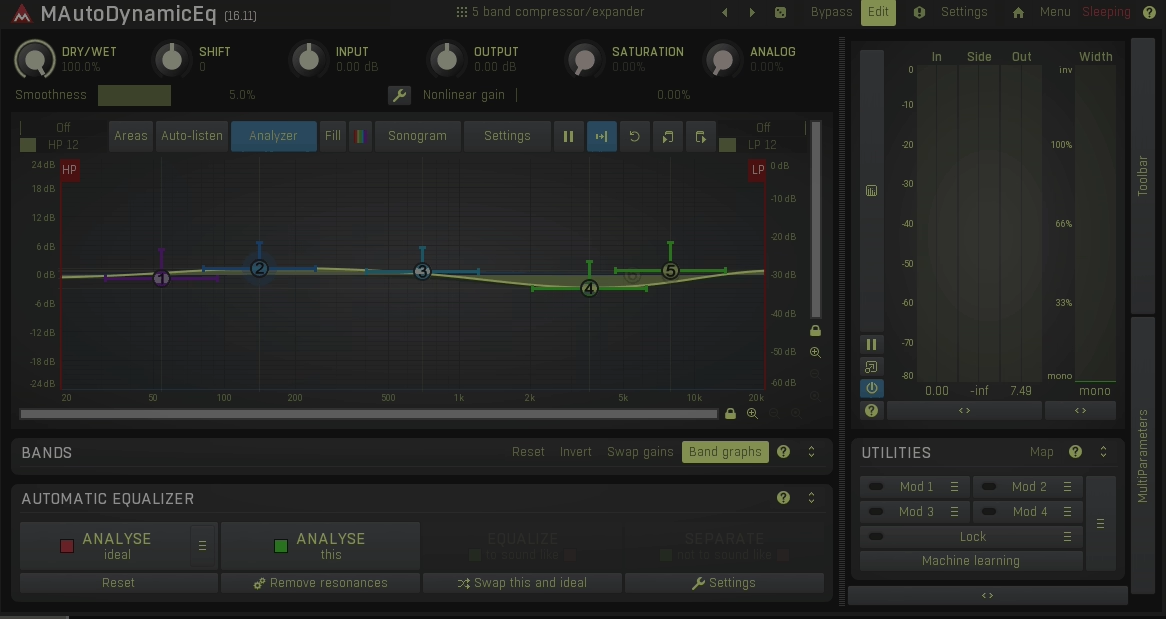
MeldaProduction describes MDynamicEQ as “the second most powerful dynamic equalizer available,” which is typically forthright of them. Their own MAutoDynamicEQ sits above it with added automatic spectral matching, but this is the more streamlined version and the one most producers will actually want.
Five bands with variable-slope, resonance-free filters form the core, and they work perfectly well as a standard parametric EQ on their own. The real selling point, though, is the dynamic processing: each band can compress, expand, duck or gate independently based on input level. A simplified four-knob interface handles common jobs like de-essing and bass tightening without needing to touch the advanced controls. When you do want to go deeper, there’s sidechain input, mid/side processing, modulation from LFOs and envelopes, and high-pass/low-pass filtering on each band’s detector.
The flipside is the interface. MeldaProduction’s GUI design has always prioritised depth over visual elegance, and MDynamicEQ is no exception. It takes time to learn where everything lives. Once you do, though, the amount of control on offer is genuinely impressive. It runs lighter on CPU than several competitors, the licence covers all your machines without a dongle, and A to H preset switching with morphing between slots is a nice workflow bonus. A lot of plugin for the money.
3. FabFilter Pro-Q 4
- Compatibility: Windows/macOS
- Format: VST, VST3, AU, AAX, CLAP
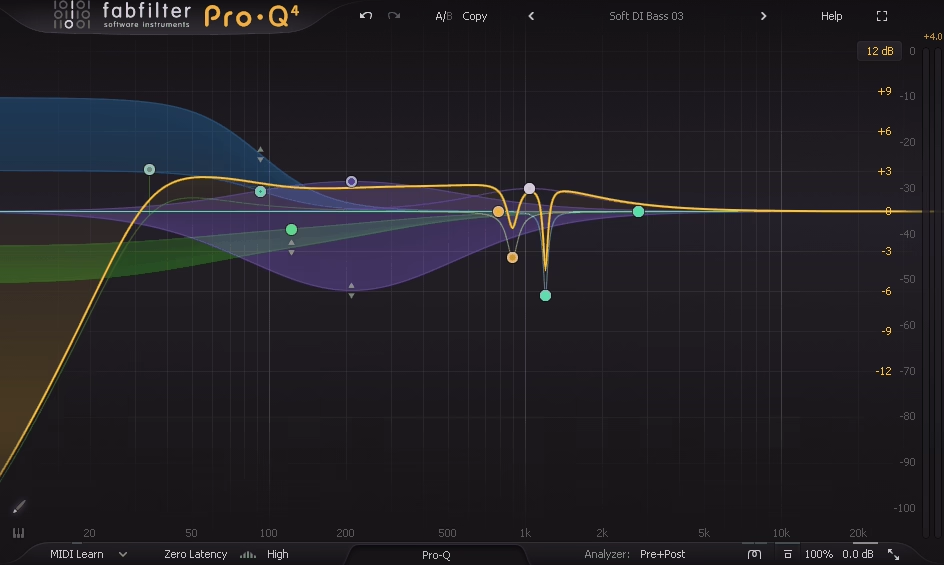
Pro-Q barely needs introducing at this point. It’s the EQ on more mixing sessions than probably any other plugin, and with version 4, FabFilter has strengthened its dynamic capabilities to the point where it handles many tasks that would previously have called for a dedicated dynamic EQ.
Any bell or shelf band can be made dynamic with a single click, giving you adjustable attack and release plus optional sidechain filtering. The headline new feature, though, is Spectral Dynamics. Where a standard dynamic EQ band affects all frequencies within its range equally, Spectral mode only targets the specific frequencies that actually exceed the threshold, leaving everything else untouched. That distinction matters more than it might sound on paper. It’s particularly effective for taming shifting resonances and harshness in vocals, guitars and full mixes, situations where a conventional dynamic band can feel like it’s grabbing too much.
There’s plenty more in version 4 beyond the dynamic improvements. Character modes (Subtle and Warm) add analogue-style saturation to the processing. EQ Sketch lets you draw broad filter curves with a single gesture. The Instance List shows every Pro-Q 4 in your session from one resizable window, making it easy to navigate a large mix. The dynamic processing uses program-dependent timing by default and sounds very natural.
Pro-Q 4 isn’t the deepest dynamic EQ on this list. But the fact that it lives inside the EQ you’re probably already running on every channel makes it incredibly convenient, and for us, that practical advantage is hard to overstate.
4. Waves Curves AQ
- Compatibility: Windows/macOS
- Format: VST3, AU, AAX, SoundGrid
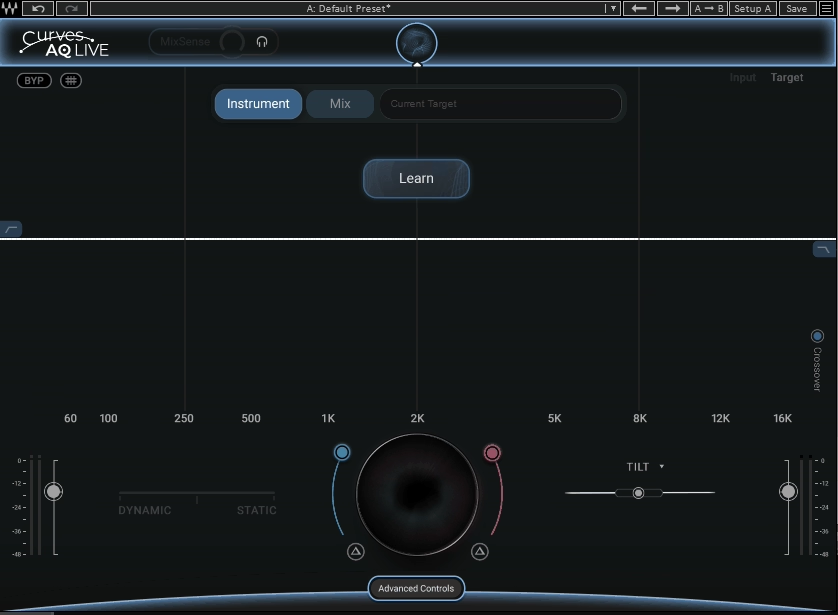
This one is a different animal entirely. Where every other plugin on this list asks you to set bands, thresholds and ratios by hand, Curves AQ takes an AI-driven approach. Hit Learn, and a neural network analyses your audio to generate five unique spectral target curves tailored to whatever material you feed it. These aren’t generic presets. They’re bespoke EQ profiles derived from the specific characteristics of your signal, whether that’s a vocal, a drum bus or a full mix.
The workflow takes some adjusting to if you’re used to a traditional EQ. A white curve represents the Spectral Target the plugin works to push your audio towards, with boosts shown in red and cuts in blue. A slider lets you blend between fully static and fully dynamic behaviour, or park it anywhere in between. Four frequency anchors give you manual control over the low end, fundamental, harmonics and air, while Smart Tilt reshapes the overall spectral balance in one move.
Worth mentioning separately is MixSense. Feed a sidechain signal from another track, and Curves AQ adjusts its processing to resolve only the conflicting frequencies between the two sources. It’s a clever approach to frequency masking that works without you having to identify the problem areas yourself. A zero-latency Live version is bundled for stage and broadcast use.
AI-driven EQ tools divide opinion, and that’s fair enough. But for getting quick, usable results across a wide range of material, Curves AQ does a convincing job. Available as part of the Waves Mercury bundle and Ultimate subscription.
5. Three Body Technology Kirchhoff-EQ
- Compatibility: Windows/macOS
- Format: VST, VST3, AU, AAX
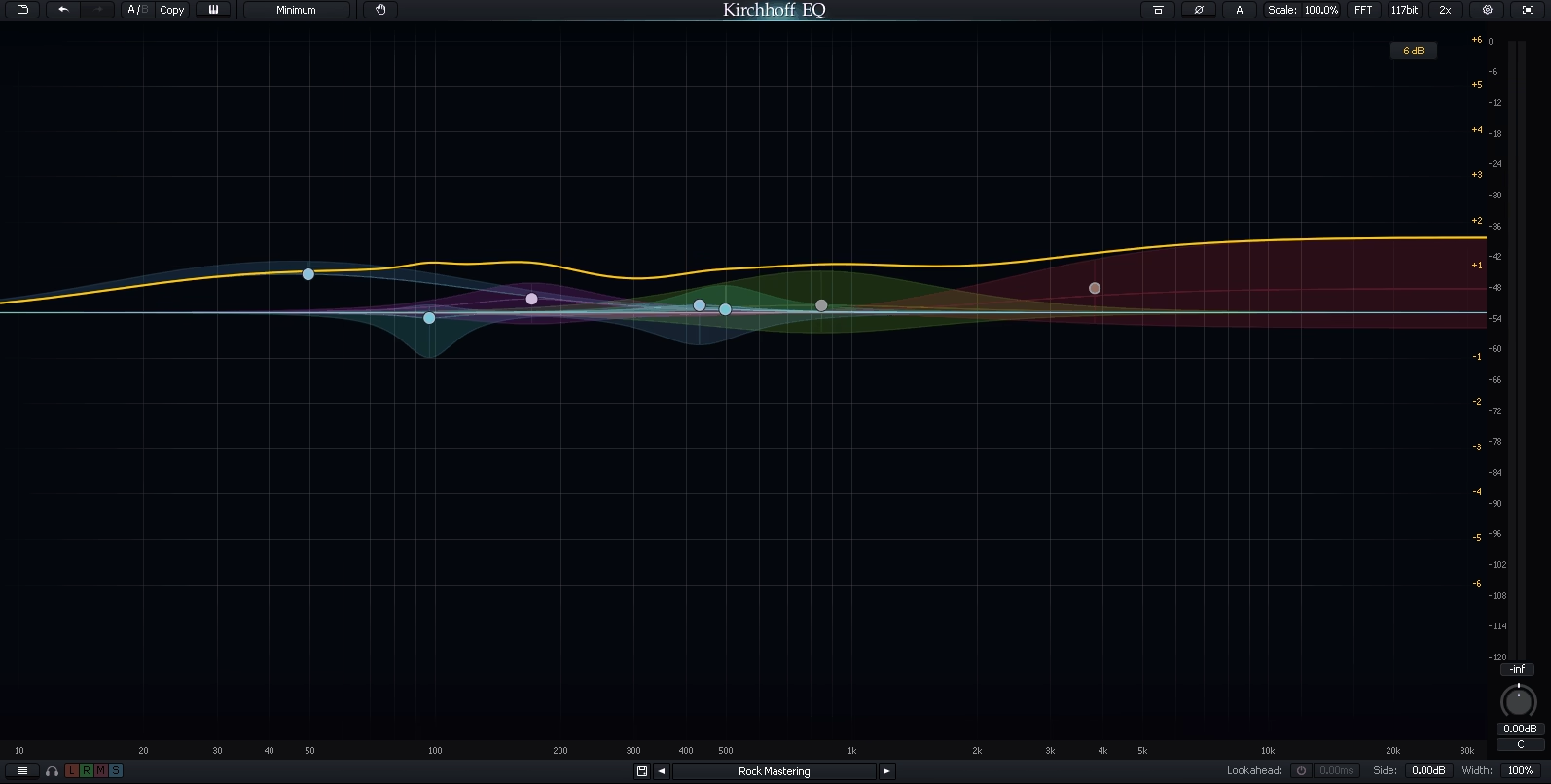
The spec sheet on Kirchhoff-EQ is, frankly, enormous. 32 bands. 15 filter types with continuously variable slope from 1 to 120 dB/oct. 32 vintage EQ models from real hardware. Four phase modes. 117-bit internal processing using Double-Double precision. And a dynamic section that goes well beyond what most EQ plugins offer. It reads like someone set out to build the most comprehensive equalizer ever made, and in many ways they’ve succeeded.
The dynamic processing is where things get particularly interesting. Each band supports two-way thresholds, allowing you to compress peaks and expand quieter content simultaneously within the same band. There’s an adjustable onset control for shaping how the dynamics respond to transients versus sustained material, and a relative detection option that lets you sidechain one band to the activity in another. Even the vintage-modelled filter curves can be used within the dynamic section, which is an unusual and genuinely useful touch.
One feature that users consistently highlight is the continuous mid/side adjustment per band. Rather than the binary left/right/mid/side switching you get in most EQs, Kirchhoff lets you smoothly position each band’s processing anywhere in the stereo field using a single knob. It sounds like a small thing, but in practice it opens up a level of spatial control that’s hard to go back from.
Under the hood, Psychoacoustic Adaptive Filter Topologies optimise filter behaviour across the spectrum, and the Nyquist-matched Transform keeps high-frequency response accurate without cramping. Despite the depth, CPU usage is remarkably low. At around $306 it’s a significant investment, but for sheer processing power, this is about as far as dynamic EQ goes.
6. TOMO Audiolabs LISA
- Compatibility: Windows/macOS
- Format: VST, VST3, AU, AAX
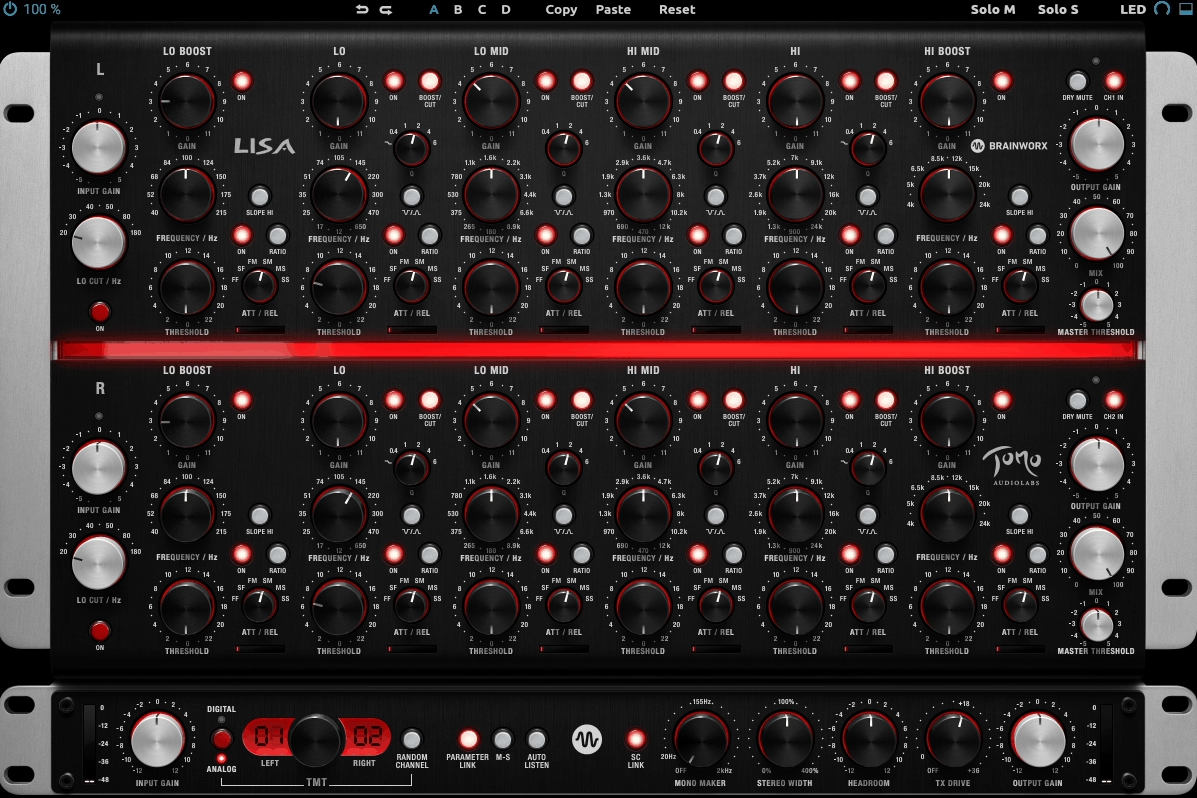
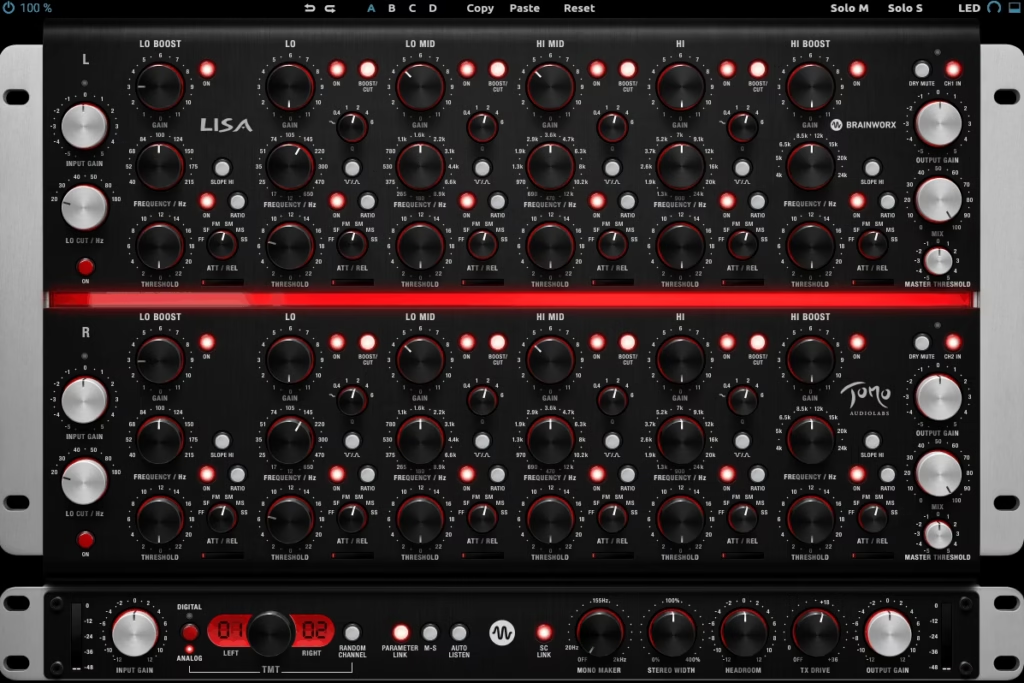
The original hardware LISA costs somewhere in the region of $15,000. It’s a mastering-grade dynamic EQ from a boutique German manufacturer, built around a parallel circuit design with dedicated opto compressor cells per band. Brainworx’s plugin emulation, fully endorsed by TOMO Audiolabs, puts that entire signal path in your DAW through Plugin Alliance.
Six bands per channel, each with its own independent opto compression and expansion circuit. Compression averages around 3:1 with a soft knee, or you can switch to a more assertive 10:1. Attack and release are set via a six-position switch covering fast, medium and slow combinations, keeping things musical rather than giving you endless granular control. The layout draws on classic Sontec and Massenburg hardware, and with LISA’s proportional bandwidths, deeper cuts automatically become narrower and more surgical while broader boosts stay wide and smooth.
What really sets it apart, though, is the parallel circuit path. Each band is processed independently and summed at the output, which means pushing one band hard doesn’t colour or interfere with the others. In practice, this gives LISA a remarkably forgiving, open sound that lets you get away with more aggressive settings than a conventional series EQ would allow.
Brainworx added Mono Maker, Stereo Width, TMT component modelling and a new TX Drive control for dialling in transformer saturation. The interface is dense and will take some learning, but for mastering and bus work, the musical quality is something else.
Extra: Initial Audio Dynamic EQ 2
- Compatibility: Windows/macOS (Apple Silicon)
- Format: VST, VST3, AU, AAX
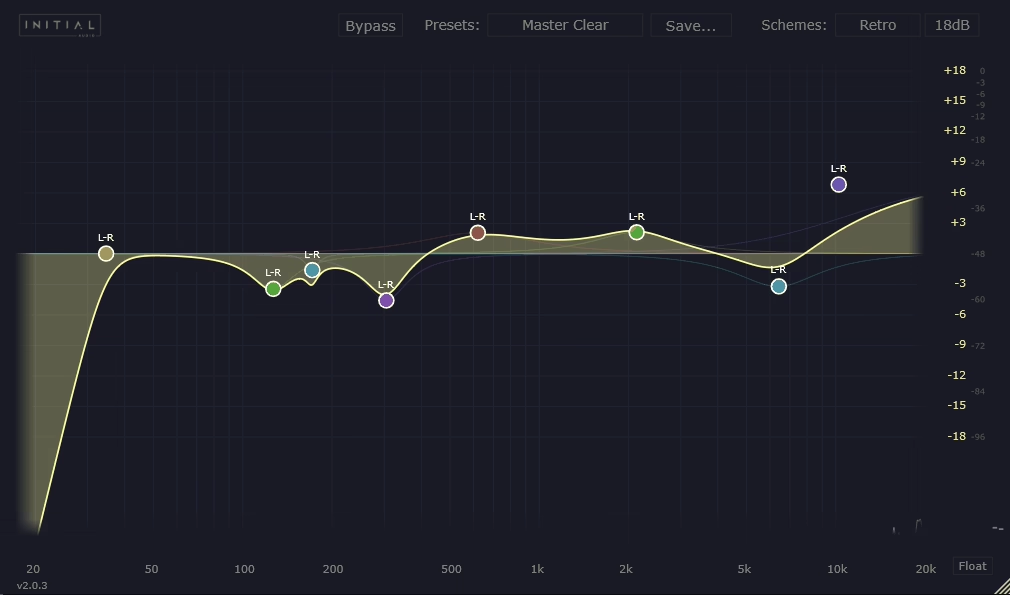
Not every dynamic EQ needs to be a Swiss army knife. Dynamic EQ 2 from Initial Audio takes a simpler, more visual approach, and it’s all the better for it.
The interface is modern and clean, with the kind of immediate visual feedback that makes dynamic EQ easy to understand even if you haven’t used one before. Up to 16 bands are available, each driven by Initial Audio’s IA-LA1 compressor algorithm, which is designed to be transparent and artefact-free even when you push it hard. The EQ curve animates in real time, so you can see exactly what’s happening at any given moment.
Version 2’s standout addition is inter-instance sidechaining. Load one instance on your kick drum and another on your bass, and the two communicate across your DAW automatically. The bass instance ducks at specific frequencies whenever the kick hits, with no manual routing required. It’s a clever solution to one of the most common mixing headaches.
Per-band stereo, mid, side, left and right modes are included, along with oversampling and zero-cramping filters. CPU usage stays low. If you owned the original, the upgrade to version 2 is free.
Freebies:
1. ZL Audio ZL Equalizer 2
- Compatibility: Windows/macOS/Linux
- Format: VST3, AU, LV2
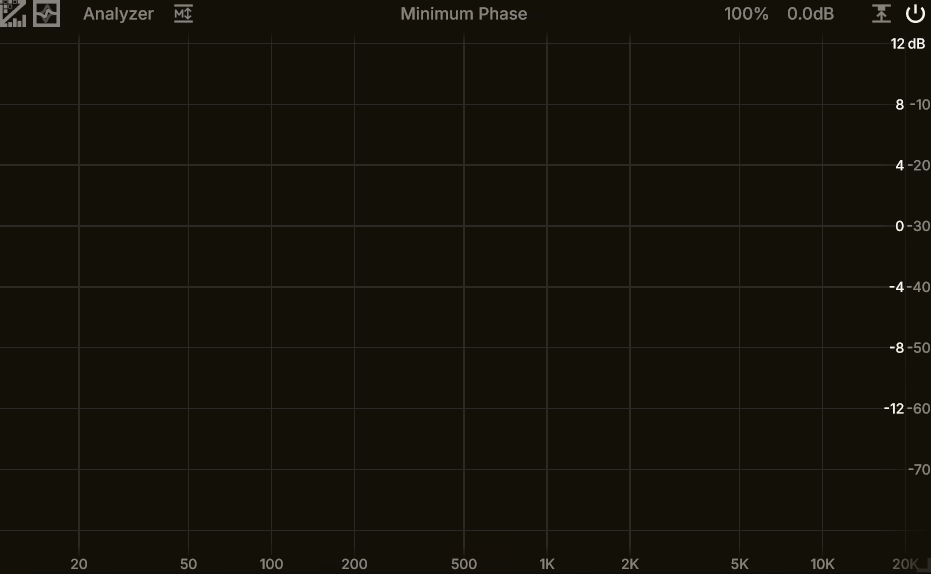
It’s hard to believe ZL Equalizer 2 is free. Open-source, available on macOS, Windows and Linux, no registration or account needed, and so capable that it comfortably stands up against paid plugins costing substantially more.
The developer cites FabFilter Pro-Q as an inspiration, and that influence is clear in the design. But ZL Equalizer has grown well beyond imitation at this point. 24 bands, six filter structures, eight filter types, slopes up to 96 dB/oct, all running in 64-bit float. Dynamic processing is fully integrated per band with threshold, attack, release and knee controls. A dynamic learning function analyses your signal and auto-sets the threshold, which speeds up the workflow considerably.
The relative dynamics mode is a particular highlight. Instead of responding to absolute signal level, it tracks the loudness of the selected frequency range specifically, making it very effective at catching resonances and harsh peaks that move around. The analyser is polished, with collision detection between bands, FFT freezing, and smooth animations that genuinely feel like they belong in a premium product. Multiple phase modes, sidechain filtering per band, and an EQ matching feature (still in development) round things out.
For a plugin that costs nothing, the quality here is remarkable.
2. Acustica Audio Jet
- Compatibility: Windows/macOS
- Format: VST, VST3, AU, AAX
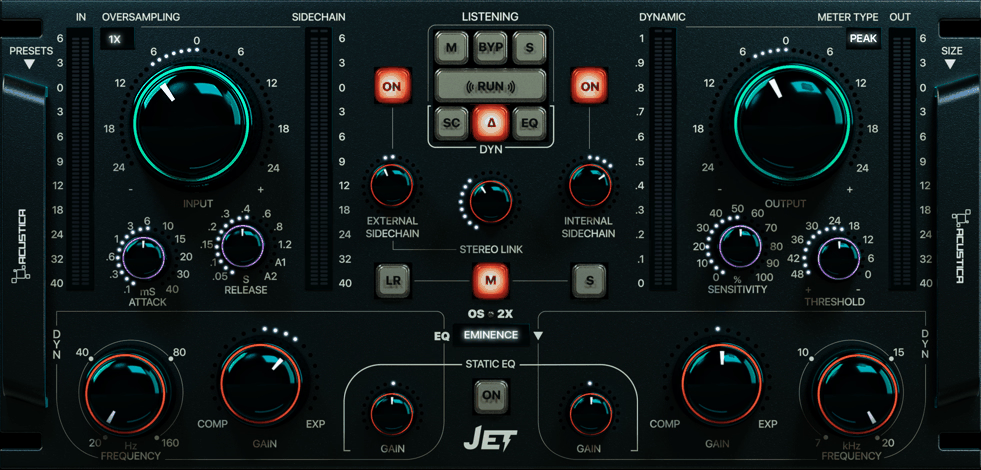
Acustica Audio has always leaned towards character over clinical transparency, and Jet brings that same philosophy into the dynamic EQ space. It ships as two free players: Jet for bus processing and Jet Mix for individual tracks, each including three EQ models with additional emulation packs available as paid Volume expansions.
What makes Jet distinctive is the technology under the hood. It’s a hybrid of analogue sampling and algorithmic processing. The EQ curves are derived from Acustica’s proprietary sampling technology, with some borrowed from their popular Eminence plugin, while the dynamic engine is algorithmic. The result is a dynamic EQ with a musical, coloured sound that sits in noticeably different territory from the clean, transparent approach of something like Pro-Q or Nova. A built-in glue compressor, internal and external sidechaining, and stereo/mid/side operation round things out.
Two bands might seem limited next to the 24- and 32-band plugins elsewhere on this list, but that’s rather the point. Jet isn’t trying to be surgical. It’s built for broad, musical tone shaping where the character of the EQ curves matters more than the number of nodes on screen. Additional Volume packs expand the emulation library, including a Volume B featuring what Acustica describes as an emulation of an ultra-rare passive seven-band EQ considered the “Holy Grail” of classic equalisers. You’ll need the Aquarius product manager to install it.
A niche tool, certainly. But if you value colour and vibe over precision, it fills a gap that very few other dynamic EQs even attempt to cover.
3. Tokyo Dawn Labs TDR Nova
- Compatibility: Windows/macOS
- Format: VST, VST3, AU, AAX
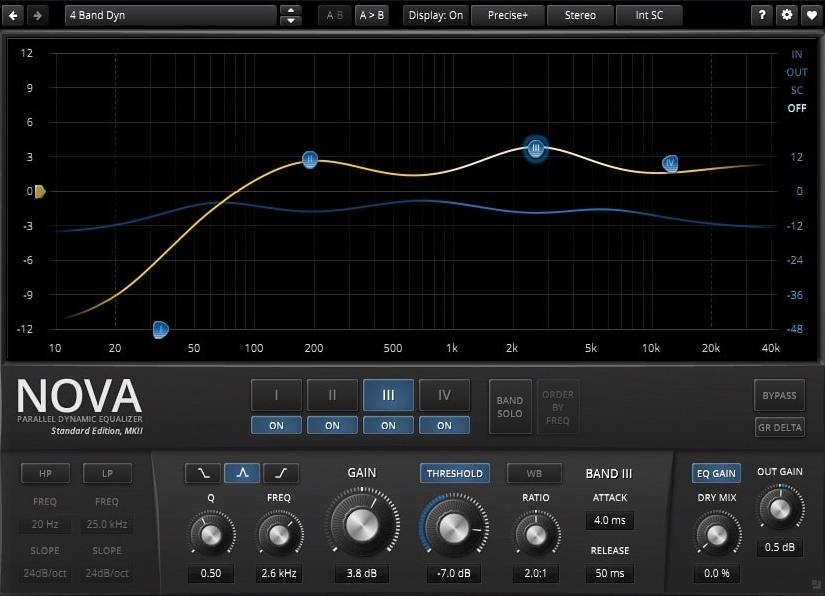
There’s a strong argument for TDR Nova being the best free mixing plugin full stop, not just in the dynamic EQ category. Tokyo Dawn Labs have been quietly refining it for years, and both the processing quality and the interface are well beyond what you’d expect from something that costs nothing.
Nova works as a parallel dynamic EQ with four bands plus high-pass and low-pass filters adjustable from 6 to 24 dB/oct. Each band doubles as a standard parametric EQ and a full-featured dynamics processor with threshold, ratio, attack and release. The range of behaviour is impressively broad: downward compression, upward compression, upward expansion and gating are all on the table. An additional W-Band processes everything that isn’t covered by the active bands, which opens up some interesting possibilities for shaping the overall tonality of a signal. Built-in equal loudness compensation removes volume bias from your adjustments, helping you make better mixing decisions.
The paid Gentleman’s Edition (around €60) adds two more bands, Smart Operations for spectral matching and automatic resonance removal, frequency-dependent ratio and other refinements. But the free version is complete enough for professional use, and plenty of engineers rely on it daily.
One thing to watch: Nova can be a bit demanding on CPU, so bear that in mind if you’re planning to run it across every channel in a dense session.
4. Analog Obsession Dynasaur
- Compatibility: Windows/macOS
- Format: VST3, AU, AAX
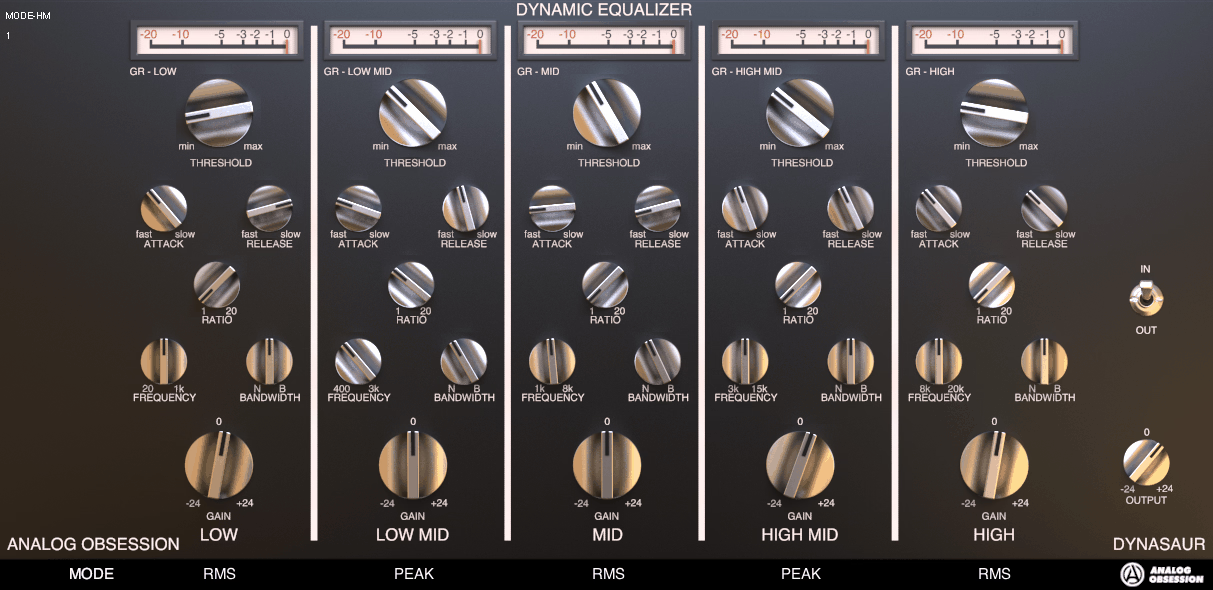
Analog Obsession has built a reputation for releasing a huge number of free plugins, and while quality naturally varies across such a large catalogue, Dynasaur is one of the standouts. It’s a five-band dynamic EQ with two shelves and three peak bands, and it gets straight to the point.
Each band offers adjustable attack (1ms to 50ms), release (30ms to 3 seconds) and ratio (1:2 to 1:20), along with a 60dB threshold range and a static gain recovery control. The interesting detail is the per-band RMS/Peak mode switch. Low frequencies tend to carry more sustained energy, so RMS detection handles them more naturally; higher frequencies are peakier and more transient, so Peak mode catches those better. Being able to set this per band means you get more appropriate dynamic behaviour across the spectrum without overthinking your attack and release settings.
The developer describes the processing as closer to motorised faders than traditional compression, with the sidechain circuit driving the gain knob rather than compressing the signal directly. The result is clean and transparent, with very little inherent colouration. It won’t win awards for interface design, but for a free plugin you can grab and start using immediately, it’s a genuinely useful tool.
Hello, this blog is about more than just chorus, bass and synths. In fact, I started it to cover best VST plugins and Kontakt libraries, so you have easier time finding the right tools and instruments for your music production needs, mixing, as well as mastering. New tools and instruments are constantly evolving and need to get in front of audience, because even some of the best brands like Antelope Audio aren’t talked about enough – that’s what I want to change. I want to promote plugins that are less known but are perfectly relevant for certain topics.