
For many producers and engineers, the very first EQ you ever touch is likely the one that comes with your DAW. You already own it, it loads instantly, and it does the basic job of boosting and cutting frequencies. When you are starting out, that is often more than enough.
As you gain experience, though, you quickly realize that EQ is not just about changing volume at certain frequencies. You start listening for stereo balance, depth, clarity, phase interaction, and tone. This is usually the point where you begin looking beyond stock tools and toward third-party EQ plugins that give you more control and better musical results.
The good news is that you do not need to spend money to access professional-quality EQ anymore. Modern free plugins now offer advanced processing, musical analog-style behavior, and detailed visual feedback that can stand comfortably alongside paid alternatives. Once installed on Windows or macOS, you can load these EQs on individual tracks, buses, returns, or your master channel, giving you total flexibility throughout your workflow.
Below are five of the best free EQ plugins, each covering a different role you will regularly encounter when mixing and mastering.
1. iZotope Mastering EQ – Best Free Mid Side Equalizer
- Compatibility: Windows, macOS
- Formats: VST, VST3, AU, AAX
- Price: Free
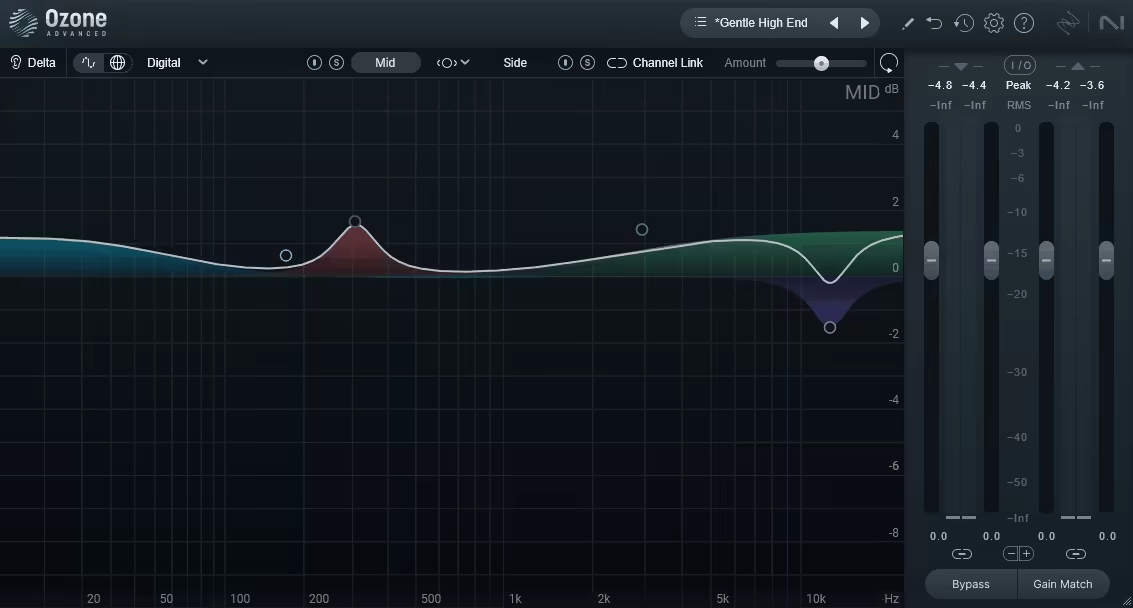
When you are working on a mix or master and you need precise control over width and balance, iZotope Mastering EQ immediately stands out. This plugin gives you true mid and side processing, meaning you can EQ the center of your mix separately from the stereo sides. That level of control becomes incredibly important as your productions grow more complex.
You can, for example, tighten low frequencies in the mid channel to keep your kick and bass focused, while allowing pads, reverbs, and effects to breathe in the sides. This helps you create a wider mix without sacrificing clarity or mono compatibility. As you make adjustments, the real-time spectrum analyzer gives you clear visual feedback, so you can see exactly how your changes affect the frequency balance.
One of the most important features here is linear phase processing. When you are EQing full mixes or stereo buses, phase shifts can weaken transients and smear imaging. Linear phase mode helps prevent that, allowing you to make broad or surgical EQ moves without compromising the integrity of the mix. You also get a reference comparison system, which helps you understand how your track’s frequency balance compares to professionally mastered material.
Key benefit:
You get mastering-grade precision, stereo control, and phase accuracy, all in a free plugin that is genuinely suitable for final-stage work.
2. Analog Obsession OAQ – Best CPU Friendly Analog Style EQ
- Compatibility: Windows, macOS
- Formats: VST, VST3, AU, AAX
- Price: Free
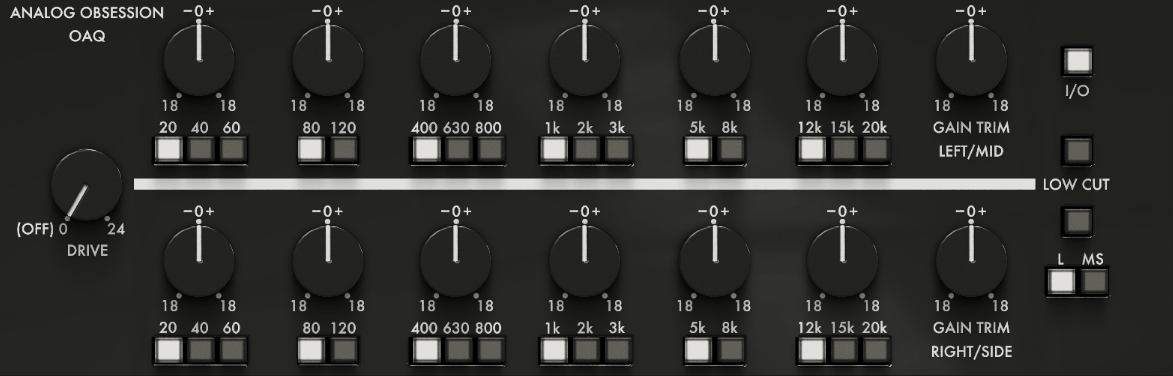
If you regularly work on large sessions, you know how quickly CPU usage can become a problem. Analog Obsession OAQ is designed specifically to give you analog-style EQ behavior without putting strain on your system. You can load many instances across a session and still keep things running smoothly.
What you will notice right away is how musical the frequency curves feel. Instead of sharp, clinical adjustments, OAQ uses broad, smooth bands that interact naturally with each other. When you boost or cut, the sound changes in a cohesive way that feels more like shaping tone than correcting mistakes. This makes it especially useful when you want to enhance a sound rather than fix it.
The plugin uses a proportional Q design, which means the bandwidth automatically adjusts based on how much gain you apply. Gentle boosts remain wide and natural, while more aggressive moves become more focused. This helps you avoid harshness and makes it easier to land on settings that simply sound right. The low and high bands are particularly effective for adding weight and presence without mud or brittleness.
Key benefit:
You can shape tone musically across many tracks without worrying about CPU overload, making OAQ ideal for buses, stems, and full mixes.
3. Soundly Shape It – Best Creative and Experimental EQ
- Compatibility: Windows, macOS
- Formats: VST, VST3, AU, AAX
- Price: Free
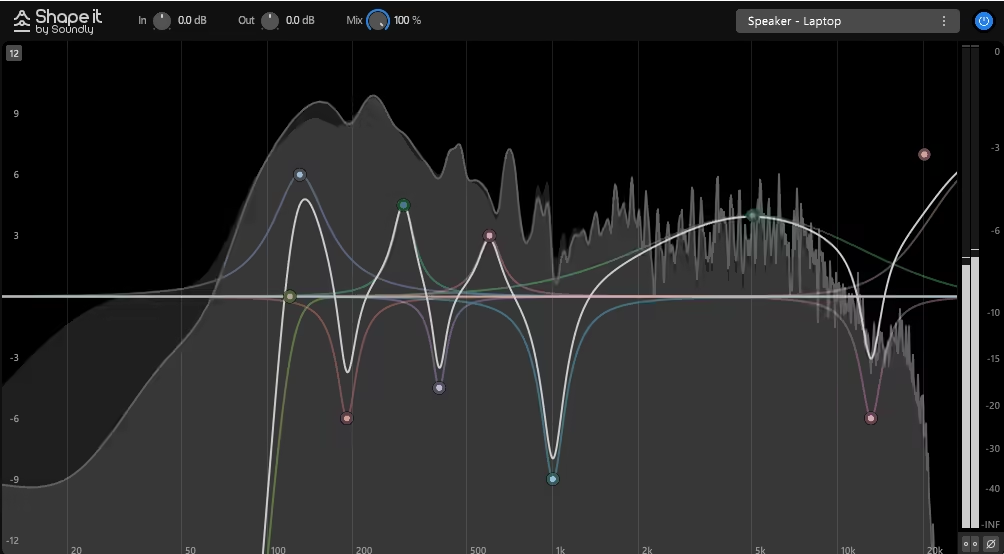
Soundly Shape It completely changes how you think about EQ. Instead of adjusting knobs and numeric values, you draw the EQ curve directly with your mouse. This makes the process far more visual and intuitive, especially when you are working creatively rather than surgically.
As you draw, you hear the changes instantly, which encourages experimentation. You can create extreme spectral shapes, gentle tonal tilts, or highly specific notches with ease. This freedom makes Shape It especially powerful for sound design, cinematic effects, transitions, and experimental textures, where traditional parametric EQs can feel limiting.
You may not reach for Shape It when you are cleaning up a vocal or removing a resonance from a snare. However, when you want to transform a sound rather than simply balance it, this plugin excels. It also includes presets that demonstrate what is possible, though the real value comes when you start creating your own curves and responding to what you hear.
Key benefit:
You gain a completely different way to shape sound, unlocking creative EQ moves that are difficult or impossible with traditional tools.
4. Acustica Audio Jet – Best Console Emulation EQ
- Compatibility: Windows, macOS
- Formats: VST, VST3, AU, AAX
- Price: Free
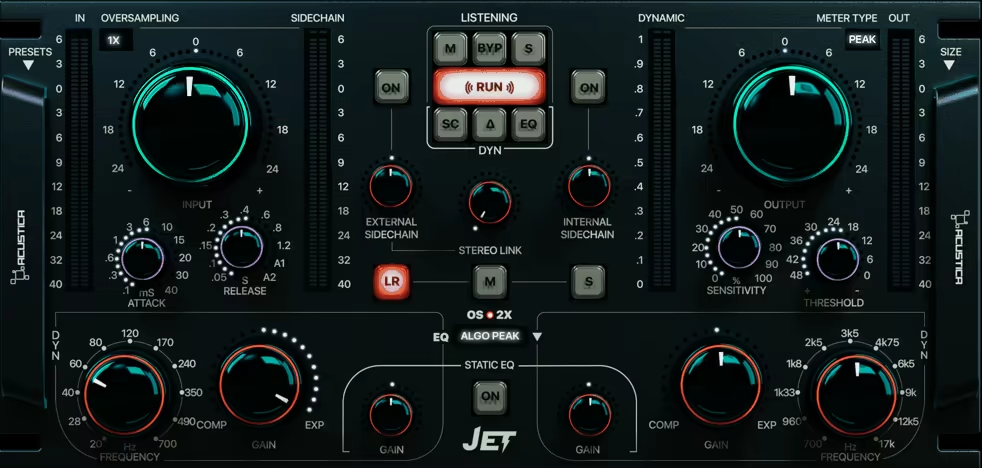
This one is not just an EQ. It is a console emulation that shapes tone and adds harmonic character at the same time. Built using advanced sampling techniques, it captures the behavior of real analog console circuits rather than approximating them digitally.
When you run audio through Jet by Acustica, you will notice that even subtle adjustments add depth and cohesion. The EQ bands are musical and smooth, and the plugin introduces gentle saturation that helps sounds feel more connected within a mix. The high-frequency shelf is particularly effective if you want to add air without harshness, while the low end remains solid and controlled.
Jet does use more CPU than simpler EQs, so you will want to use it deliberately. It shines when placed on important individual tracks, subgroup buses, or your mix bus, where its character can influence multiple elements at once.
Key benefit:
You can add genuine analog console tone and mix glue, helping your tracks feel fuller and more unified.
5. Outobugi Toner – Best Tilt EQ
- Compatibility: Windows, macOS
- Formats: VST, VST3, AU, AAX
- Price: Free
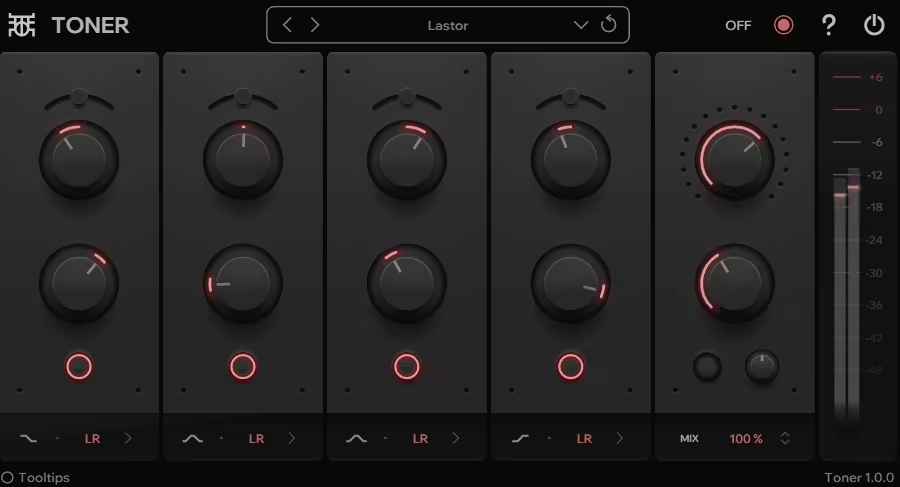
Outobugi Toner proves that EQ does not always need complexity to be effective. This plugin uses a tilt EQ design, allowing you to rebalance the entire frequency spectrum using a single control. When you turn the knob one way, highs are boosted while lows are reduced. Turn it the other way, and the opposite happens.
This makes Toner incredibly useful when you need quick tonal adjustments. Instead of tweaking multiple bands to make something brighter or warmer, you can dial in the balance almost instantly. This is especially helpful when you are comparing your mix to a reference track or balancing stems quickly.
Key benefit:
Despite its simplicity, Toner remains musical even at more extreme settings. It avoids harshness and preserves the overall character of the sound, making it suitable for mix buses, stems, and even creative sound design applications.
6. Analog Obsession HLQ-SE – Best Passive EQ Character
- Compatibility: Windows, macOS
- Formats: VST, VST3, AU, AAX
- Price: Free
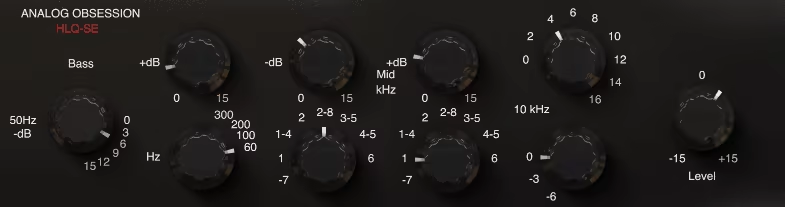
When you want to shape tone in a way that feels smooth and musical rather than technical, Analog Obsession HLQ-SE gives you exactly that experience. This plugin is modeled after classic passive equalizer designs, which behave very differently from modern active EQs. Instead of aggressively carving frequencies, passive EQs tend to enhance and contour sound in a more natural way.
One of the most important things you will notice when using HLQ-SE is the way boost and attenuation controls interact. You can boost and cut the same frequency range at the same time, which may sound counterintuitive, but in practice it allows you to add weight, presence, or air while keeping the extremes under control. This is especially useful when you are working with bass instruments, vocals, or full mixes that need enhancement without sounding over-processed.
HLQ-SE also preserves transients very well. When you apply EQ, you do not lose punch or clarity, which makes it a strong choice for drums and percussive material. The subtle harmonic content added by the passive modeling introduces warmth and depth without drawing attention to itself. You can use it gently for polish or push it harder for more noticeable character, and it remains musical in both cases.
Key benefit:
You get classic passive EQ tone that enhances sound naturally, making it ideal for polishing tracks and adding musical weight.
7. Analog Obsession MAXBAX – Best High-Frequency Enhancement EQ
- Compatibility: Windows, macOS
- Formats: VST, VST3, AU, AAX
- Price: Free
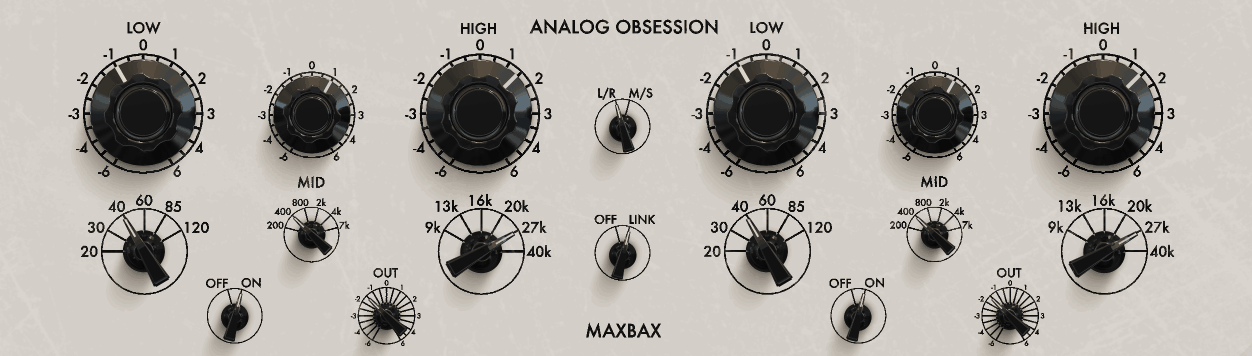
High frequencies can be tricky. If you boost them too much, you risk harshness and listener fatigue. If you avoid them entirely, your mix can sound dull or closed in. Analog Obsession MAXBAX is designed specifically to solve that problem by focusing on smooth, musical high-frequency enhancement.
MAXBAX is based on Baxandall-style shelving curves, which are known for their gentle slopes and natural response. When you boost the top end with this plugin, you are not just increasing volume at certain frequencies, you are also introducing subtle harmonic saturation that helps the brightness feel fuller and more three-dimensional. This makes a huge difference on vocals, acoustic guitars, overheads, and cymbals.
You will find that you can push MAXBAX much harder than many digital EQs before it starts to sound aggressive. This makes it extremely useful when you are trying to bring clarity and air to recordings that feel flat or lifeless. It also works well on buses, where a small amount of high-frequency lift can open up an entire group of sounds without drawing attention to the processing.
Key benefit:
You can add air and clarity without harshness, keeping your mixes bright, smooth, and easy to listen to.
8. Analog Obsession BLENDEQ – Best Hybrid Color EQ
- Compatibility: Windows, macOS
- Formats: VST, VST3, AU, AAX
- Price: Free
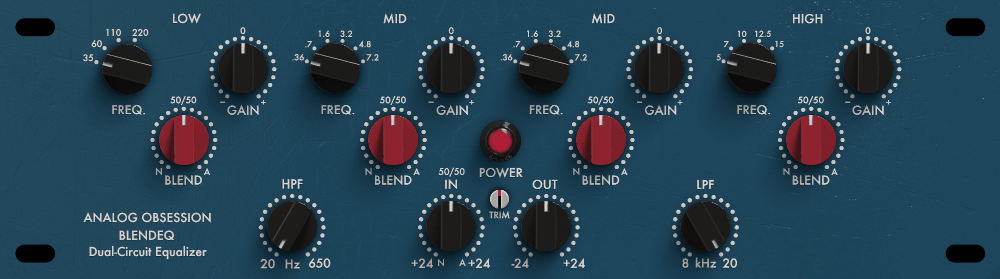
BLENDEQ is designed for situations where you want both precision and character, and you want to decide how much of each you hear. Instead of committing to a single EQ style, this plugin allows you to blend between clean digital behavior and colored analog-style processing.
As you adjust the blend control, the harmonic content and frequency response change together, giving you a smooth transition from transparent correction to rich coloration. This makes BLENDEQ extremely flexible. You can start by cleaning up problem frequencies, then gradually introduce character until the sound feels alive and cohesive.
With five fully parametric bands, you have enough control to handle detailed mixing tasks, while the visual feedback helps you understand exactly what you are doing. Saturation indicators let you know when you are pushing the plugin into more colored territory, which is useful when you want to be deliberate about how much character you add.
Key benefit:
You get one EQ that adapts to your needs, whether you are fixing problems, shaping tone, or adding analog-style warmth.
9. Samsara Cycle Audio P-T-Q – Best Vintage Parametric EQ
- Compatibility: Windows, macOS
- Formats: VST, VST3, AU, AAX
- Price: Free
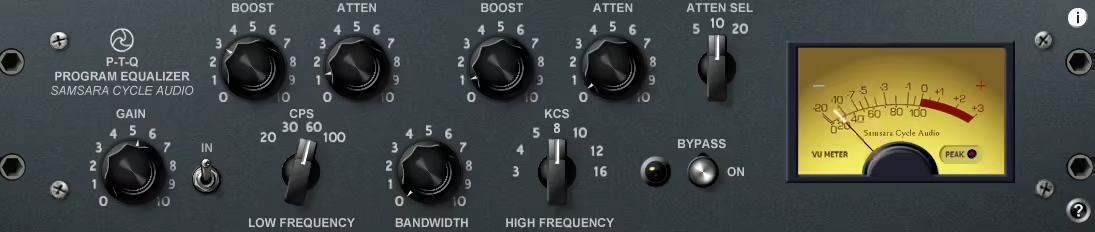
If you enjoy the sound and workflow of classic hardware EQs, Samsara Cycle Audio P-T-Q delivers that experience in a modern plugin. This EQ focuses on musical response rather than extreme visual precision, encouraging you to rely more on listening than on watching graphs.
Each band offers frequency, gain, and Q controls that respond smoothly and predictably. When you sweep through the midrange, you can easily find problem areas or sweet spots, and the adjustments feel natural rather than surgical. This makes P-T-Q especially useful for vocals, guitars, and melodic instruments that need careful placement in a mix.
The plugin also allows you to drive the input stage, introducing subtle saturation that adds warmth and density. This can help sounds feel more present and grounded without becoming distorted. Phase response remains stable, which means you can use multiple instances across a mix without worrying about stereo imaging issues.
Key benefit:
You get vintage-style musical EQ behavior with modern reliability, perfect for both corrective and creative use.
10. Analog Obsession and BPB Rare Program Equalizer – Best Rare Hardware Emulation
- Compatibility: Windows, macOS
- Formats: VST, VST3, AU, AAX
- Price: Free
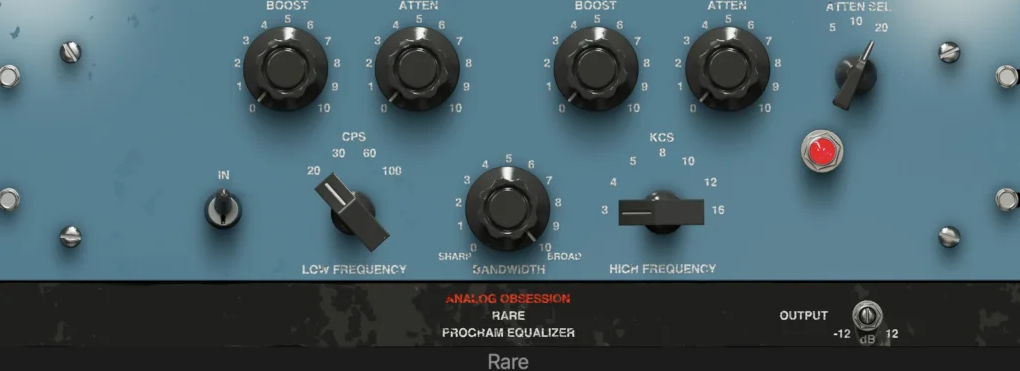
The Rare Program Equalizer is built around the idea that limitations can lead to better decisions. Instead of offering endlessly sweepable frequencies, this plugin uses fixed frequency points taken from rare broadcast and mastering hardware. These points were chosen because they consistently produce musical results.
When you use this EQ, you spend less time searching and more time listening. Each frequency option tends to do something useful, whether you are adding low-end weight, enhancing presence, or opening up the top end. The transformer-style modeling introduces thickness and depth, helping sounds feel more solid and cohesive.
Key benefit:
This plugin works particularly well on mix buses, stems, and mastering chains, where subtle tonal shifts can have a big impact. You can use it gently for polish or more aggressively for obvious vintage coloration, and it remains characterful in both cases.
11. Analog Obsession FIVER – Best Simple Analog
- Compatibility: Windows, macOS
- Format: VST, VST3, AU, AAX
- Price: Free
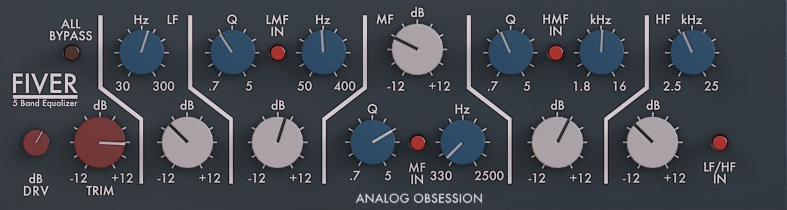
There are plenty of situations where you do not want deep control, endless parameters, or visual analysis. You just want to shape the tone quickly and move on. Analog Obsession FIVER is built exactly for those moments, and that is where its real value lies. This is an EQ designed around speed, instinct, and musical decision making rather than precision tweaking.
FIVER uses five fixed frequency bands that cover the most important areas of a mix, and those frequencies are chosen intelligently. You are not scrolling through numbers or wondering where to set a band. You simply turn a knob and listen. The low band is tuned to add weight and fullness without introducing mud, which makes it useful on bass, kick, and fuller instruments.
The low mid band focuses on body and warmth, helping thin sounds feel more grounded. The mid band controls presence and intelligibility, which is critical for vocals and lead instruments. The high mid band adds definition and bite, and the high band introduces air and openness without harshness.
12. Sonimus SonEQ Best Clean
- Compatibility: Windows, macOS
- Format: VST, VST3, AU, AAX
- Price: Free
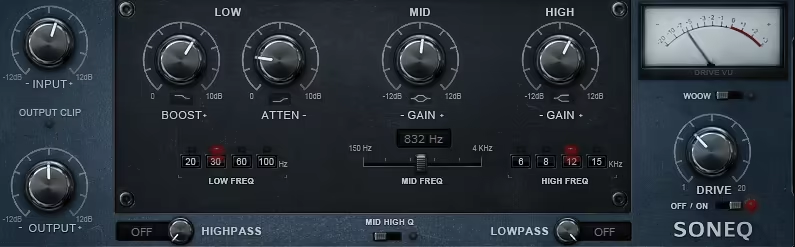
If you are looking for an equalizer that prioritises absolute transparency and precision, Sonimus SonEQ is designed to give you exactly that. This is the type of tool you reach for when you want to correct issues without adding extra character, saturation, or tonal colouring. When your source already sounds good and you simply need to refine it, SonEQ allows you to make those adjustments while keeping the original integrity of your audio fully intact.
What immediately stands out is how accurately SonEQ lets you target specific frequency areas. The plugin includes flexible parametric bands that allow you to control frequency selection, gain amount, and bandwidth. That means you can perform very tight surgical cuts when you need to remove unpleasant resonances, or you can apply broader tonal shaping when you want to subtly rebalance your mix. This level of control becomes incredibly valuable when you are working with complex recordings such as layered vocals or dense instrument arrangements.
You also benefit from clear and informative visual feedback, which helps you make faster and more confident mixing decisions. The frequency curve display shows exactly how your adjustments are shaping the signal, while the integrated spectrum analysis helps you visually identify problematic build ups before you even begin processing.
When you combine these tools with careful listening, you gain a much stronger understanding of how your changes are affecting the overall sound. or analogue colour, it excels at providing clean, honest frequency control that lets your mix remain natural and professional sounding.
13. Fuse Audio Labs RS W2395C Best British Console Tone
- Compatibility: Windows, macOS
- Format: VST, VST3, AU, AAX
- Price: Free
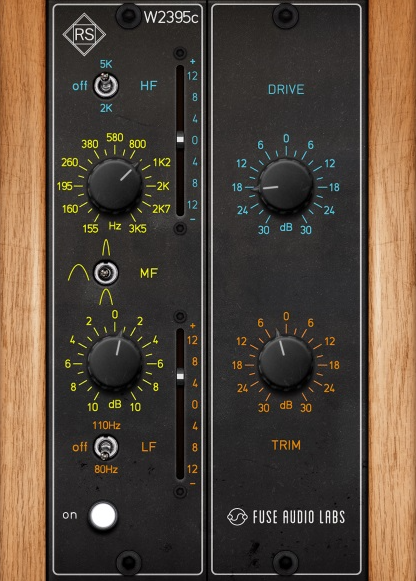
If you love the unmistakable sound of classic British recording consoles, Fuse Audio Labs RS W2395C delivers that character in a way that feels both authentic and musical. This plugin is not simply about frequency shaping. It is about giving you access to the warmth, cohesion, and subtle compression behaviour associated with legendary analogue desks.
One of the most noticeable qualities is how the EQ curves behave. The high and low shelving sections are carefully modelled to provide smooth tonal enhancement that sounds musical rather than exaggerated. When you add brightness, you hear openness and air rather than brittle harshness. When you boost low frequencies, you gain weight and depth without muddying the mix. These curves make it easier for you to enhance material without needing to constantly fine tune parameters.
The midrange section offers targeted control over presence and body frequencies. This allows you to bring vocals or instruments forward in the mix or gently push them back into the arrangement. Because the EQ structure mirrors real console design, your adjustments often sound polished immediately, even if you are still developing your mixing experience.
Another defining element is the plugin’s dynamic saturation response. The harder you drive the input signal, the more harmonic content the circuit modelling introduces. You can use this behaviour subtly to add warmth and cohesion, or you can push it further to achieve more obvious analogue coloration. This gives you creative flexibility while still maintaining musical results.
14. Ignite Amps PTEq X Best Pultec Style
- Compatibility: Windows, macOS
- Format: VST, VST3, AU, AAX
- Price: Free
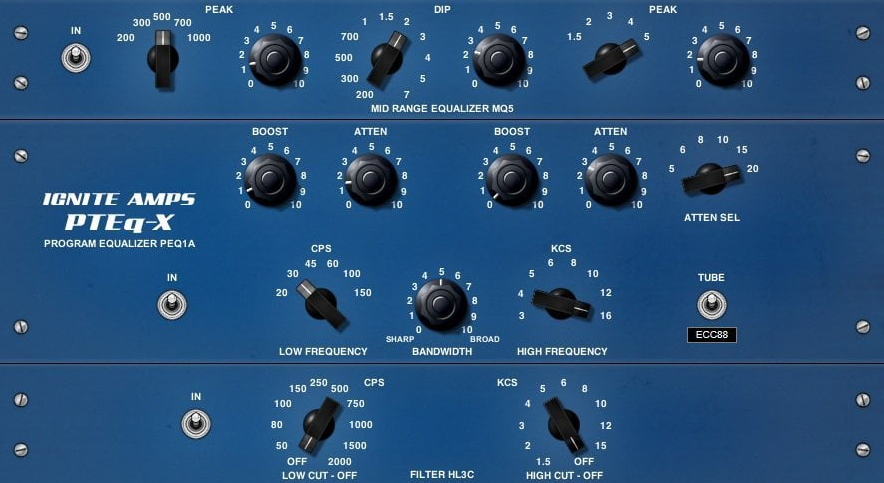
Few equalizer designs are as legendary as the Pultec concept, and Ignite Amps PTEq X recreates that iconic behaviour with impressive authenticity. What makes this style of EQ unique is its ability to perform simultaneous boosting and attenuation within the same frequency region, allowing you to create complex tonal curves that sound remarkably musical.
At first glance, the idea of boosting and cutting at the same time might seem contradictory. However, once you begin using PTEq X, you quickly realise how powerful this approach can be. The low frequency section allows you to increase bass presence while tightening the deepest sub frequencies simultaneously. This lets you add punch and fullness without allowing low end energy to become uncontrolled or muddy.
The high frequency section offers similar musical advantages. You can introduce clarity and air while shaping bandwidth to keep brightness smooth and refined. This makes the plugin particularly valuable when you are working on vocals, drums, or full mixes that need additional presence without introducing harsh edges.
One of the biggest strengths of PTEq X is how forgiving and musical its response feels, even when you make aggressive adjustments. Many modern digital EQs can quickly sound unnatural when pushed too far, but this passive circuit modelling introduces gentle harmonic saturation that keeps the result pleasing to the ear. You can experiment freely, knowing that the plugin tends to maintain musical balance even during extreme settings.
15. TDR Nova – Best Dynamic Equalizer
- Compatibility: Windows, macOS
- Formats: VST, VST3, AU, AAX
- Price: Free
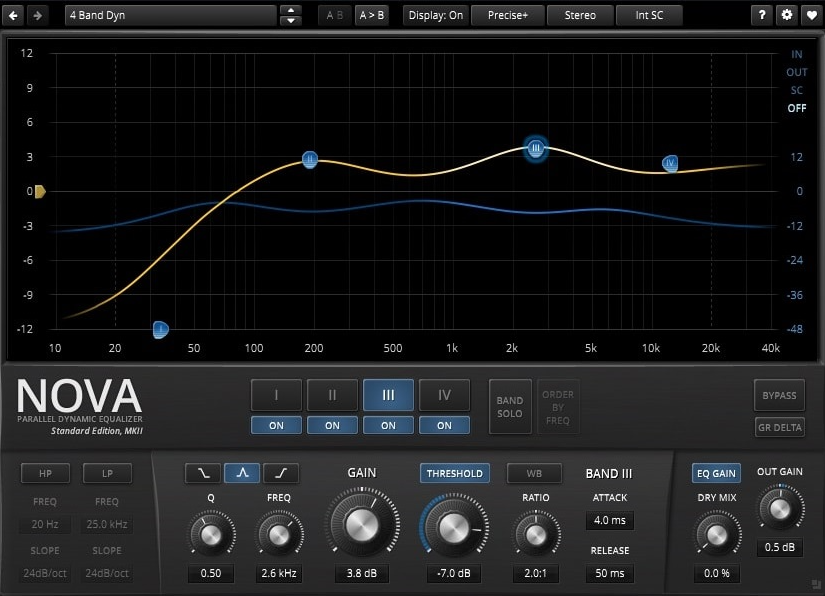
TDR Nova is one of those plugins you reach for when you realize that static EQ is not enough. Instead of applying a fixed boost or cut, this EQ allows you to react dynamically to the signal, meaning the processing only happens when it is actually needed. For you, this translates to cleaner, more controlled mixes that still feel natural.
Each band can operate as a dynamic processor, responding to the input level within a chosen frequency range. This is incredibly useful when you are dealing with resonances that only appear occasionally, such as harsh vocal notes, boxy guitar frequencies, or boomy bass notes. Rather than permanently cutting those frequencies and dulling the sound, you can let Nova step in only when they become problematic.
You also get full parametric control, mid side processing, and a high-quality spectrum analyzer, making this plugin suitable for everything from detailed corrective work to gentle tonal shaping. Despite its depth, the interface remains logical and approachable, so you are not fighting the tool while trying to make decisions.
Key Benefit:
You can solve frequency problems transparently and intelligently, keeping your mixes clean without sacrificing energy or tone.
Hello, this blog is about more than just chorus, bass and synths. In fact, I started it to cover best VST plugins and Kontakt libraries, so you have easier time finding the right tools and instruments for your music production needs, mixing, as well as mastering. New tools and instruments are constantly evolving and need to get in front of audience, because even some of the best brands like Antelope Audio aren’t talked about enough – that’s what I want to change. I want to promote plugins that are less known but are perfectly relevant for certain topics.