
A graphic EQ won’t replace your parametric. That’s not what it’s for. Where a parametric excels at surgical work, a graphic equaliser is built for speed. Fixed frequency bands, one slider per band, and results you can hear almost before your hand stops moving.
For broad tonal shaping on buses, quick corrective moves during tracking, or dialling in a vibe on a mix that’s already most of the way there, a good graphic EQ earns its place. The format has been a staple of live sound and studio outboard racks for decades.
Hardware graphic EQs from companies like Klark Teknik, API and BSS became industry standards because they let engineers make fast, confident decisions in high-pressure environments. Grab a fader, move it, trust what you hear.
That same principle translates well to plugin versions, where the visual simplicity of a row of sliders can cut through the option paralysis that more complex EQ interfaces sometimes create. The plugins on this list range from detailed hardware emulations to modern designs with features no physical unit could offer. Some of them are free options as well. We’ve tested graphic EQ plugins across a range of mixing and mastering tasks to put together this list of 11 worth your attention.
1. Kuassa Efektor PAten
- Compatibility: Windows/macOS
- Format: VST, VST3, AU, AAX, Rack Extension
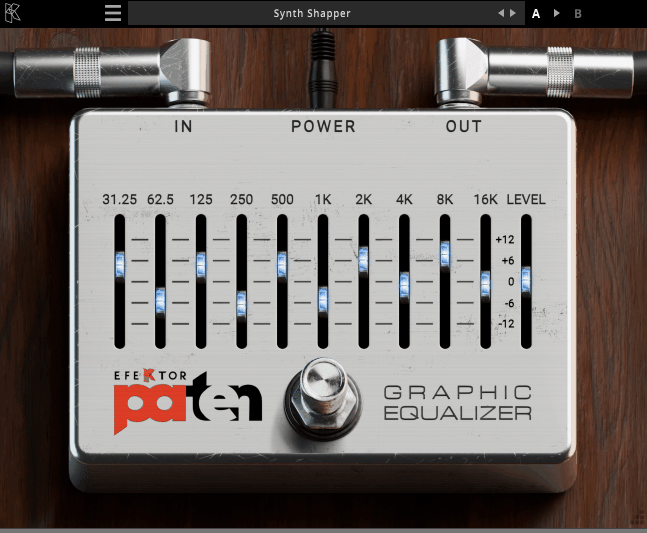
Kuassa doesn’t get the same name recognition as some of the larger plugin developers, but the Indonesian company has been quietly turning out quality effects for years, and the Kuassa Efektor PAten is a fine example of what they do well. This is a ten-band graphic EQ where each band runs through a parallel architecture, meaning the sliders operate in complete isolation from one another. There’s no bleed between neighbouring bands and no accumulated phase problems when you’re making changes across several frequency regions at the same time.
What keeps the sound musical is the Protean Algorithm, a dynamic Q system that automatically adjusts bandwidth as you increase or decrease gain on any band. Smaller moves stay broad and gentle. Push further and the curve tightens, keeping the effect focused without introducing the comb filtering issues that simpler graphic EQ circuits suffer from. Variable Q control gives you additional say over the bandwidth if you want it, and the resizable, touchscreen-friendly interface adapts well to different screen sizes and workflows.
CPU overhead is low enough to load on many channels without strain, and Reason users will appreciate that it also ships as a Rack Extension for integration directly inside Reason’s signal chain.
2. Newfangled Audio EQuivocate
- Compatibility: Windows/macOS
- Format: VST, VST3, AU, AAX
Your ears don’t process frequencies the way a ruler measures distance. The gap between 100Hz and 200Hz sounds like a much bigger interval than the gap between 10kHz and 10.1kHz, even though both are 100Hz apart. The Mel Scale accounts for that perceptual reality, and Newfangled Audio EQuivocate is built entirely around it. All 26 bands map to critical regions of human hearing, spaced according to how your auditory system actually registers pitch. Every slider adjustment feels naturally proportioned because the underlying framework mirrors the way you listen.
The filtering uses linear-phase FIR triangular designs instead of the IIR circuits found in conventional graphic EQs, which means bands don’t interact with their neighbours and the response is genuinely flat when all sliders sit at zero. Band count can be reduced for broader tonal strokes, individual bands can be soloed, and a freehand drawing mode lets you sketch curves quickly. The Match EQ sidechain feature analyses a reference signal in real time and reshapes the plugin’s curve to match that tonal balance, which is remarkably effective for getting mixes into the same sonic territory as a commercial reference. Automatic gain compensation keeps volume out of the equation when you’re comparing settings. Lowering the band count when full 26-band resolution isn’t needed is a practical way to keep CPU demand in check.
3. Waves GEQ
- Compatibility: Windows/macOS
- Format: VST3, AU, AAX, SoundGrid
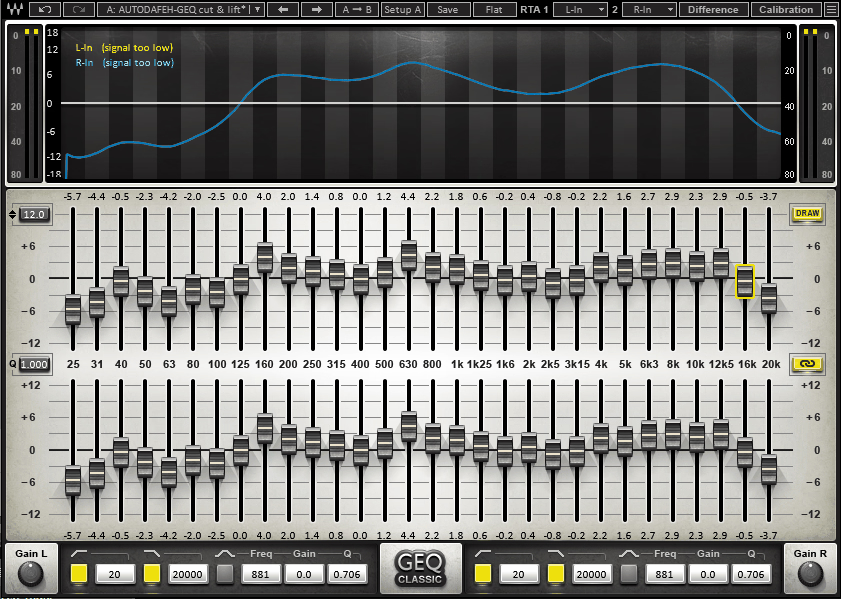
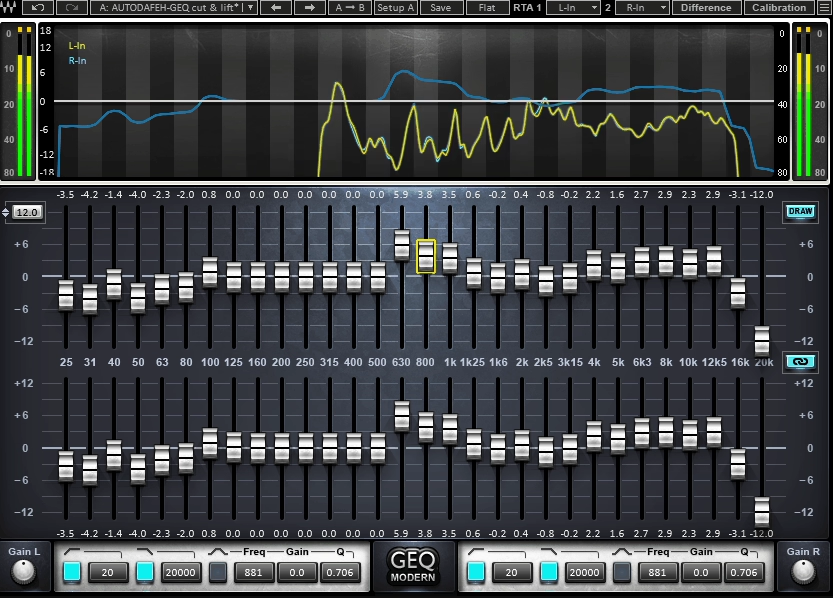
Thirty bands at third-octave spacing from 25Hz to 20kHz. That’s the resolution you’re working with on the Waves GEQ, and it’s about as detailed as graphic equalisers get. What sets this particular plugin apart is its dual-mode architecture. Classic mode replicates the proportional-Q behaviour of Klark Teknik’s DN hardware series, where bandwidth narrows as gain increases, producing those smooth, broad curves that became a hallmark of professional live sound. Modern mode flips to constant-Q filtering for more predictable, surgical control where each band stays exactly the width you’d expect regardless of how much boost or cut you apply.
A real-time frequency analyser sits behind the slider bank, and high-pass and low-pass filters manage the frequency extremes at either end. Zero-latency processing ensures the plugin works for live tracking and monitoring without timing issues, and the CPU cost per instance is minimal.
The range switch is a small but valuable touch. Narrowing the maximum gain from 12dB down to 6dB gives each slider finer resolution, making it easier to land subtle adjustments precisely. On a master bus or a delicate vocal track, that additional control makes a noticeable difference.
Reaching for one mode on a drum bus and the other on a problem vocal during the same session, all within a single plugin, is the kind of practical flexibility that earns a permanent spot in your plugin folder.
4. TBTech Modern G-31
- Compatibility: Windows/macOS
- Format: VST, VST3, AU, AAX
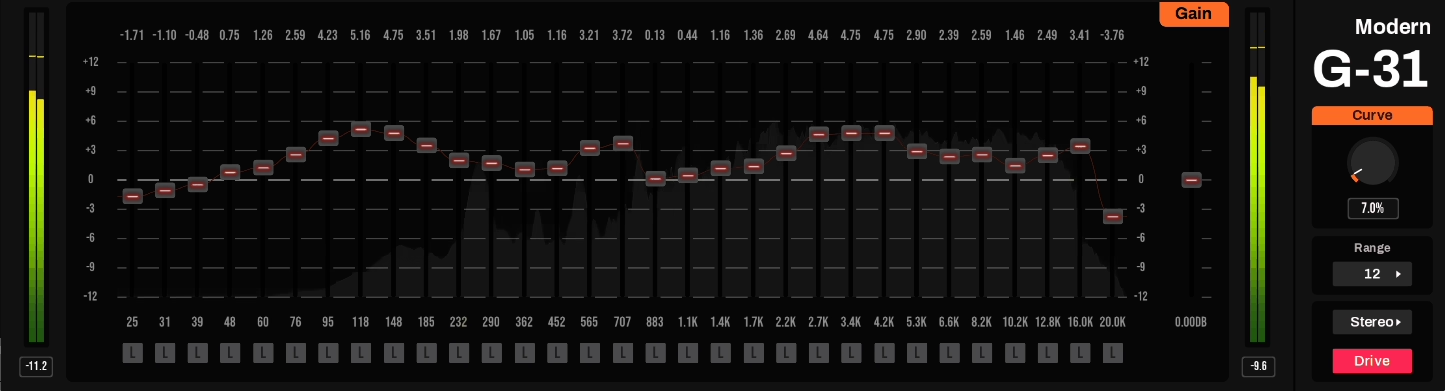
Every slider you touch on a traditional graphic EQ affects the ones around it. That’s a fundamental limitation of IIR filter design, and it’s the reason many engineers stopped trusting graphic equalisers for precision work. TBTech Modern G-31 solves the problem with FIR filters in both minimal-phase and linear-phase modes, where each of the 31 third-octave bands operates in total isolation. The stair-step and plateau responses you draw with the faders are exactly what reaches your output, with no crosstalk and no compromise.
A Curve knob shapes how steeply the response transitions between adjacent band settings, giving you creative control over smoothness versus definition. A switchable Drive function introduces vintage console harmonics for a warmer, more coloured sound. Processing modes cover stereo, mid/side and left/right configurations, and a built-in spectrum analyser keeps everything visible.
Minimal-phase mode runs at zero latency while the linear-phase option adds 2048 samples of delay. Automation data won’t be sample-accurate because the FIR parameters refresh on a separate processing thread, something to keep in mind for heavily automated sessions. The floating parametric bell filter that sits alongside the graphic bands is a clever addition, giving you a single sweepable point for surgical corrections between the fixed frequency slots without needing to load a separate plugin.
5. IK Multimedia EQ PG
- Compatibility: Windows/macOS
- Format: VST3, AU, AAX
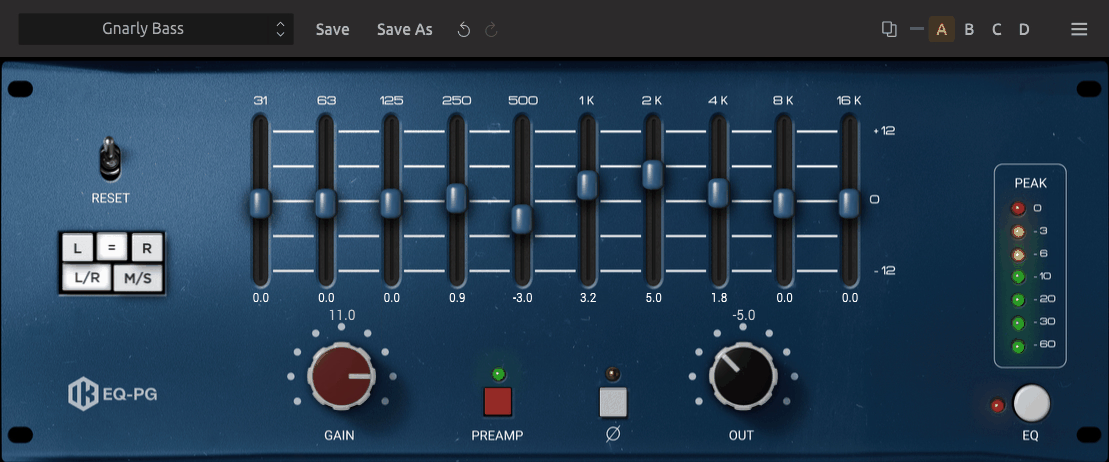
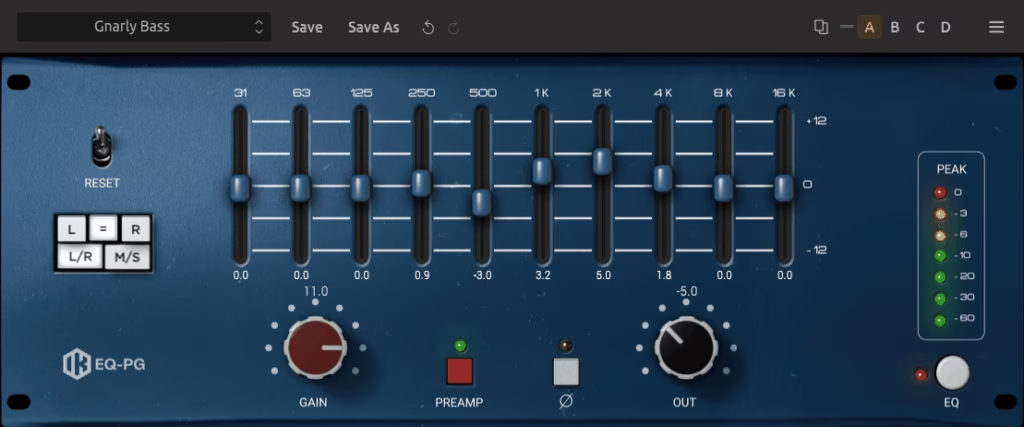
The late 1960s American studio sound has never really gone away. That thick, confident, slightly aggressive character you hear on countless classic recordings owes a lot to the bespoke EQ modules built for the consoles of that era, and IK Multimedia EQ PG captures one of those designs in careful detail. The all-discrete signal path, custom op-amp circuitry and output transformer are all modelled, producing a tonal signature that’s warm, weighty and immediately recognisable.
Proportional Q across the ten fixed bands means the filtering stays broad and musical at low gain settings and tightens progressively as you push harder. The behaviour feels intuitive without any need to think about bandwidth values, and the reciprocal boost/cut curves ensure that any EQ move can be precisely undone if needed.
The separate preamp section is where the plugin’s character really opens up. Subtle settings introduce transformer warmth and low-end harmonic richness. Higher gain levels push into hard-clipped distortion territory that works surprisingly well on drums, bass and any source that benefits from a bit of attitude.
Because the boost and cut shapes mirror one another perfectly, the EQ PG is particularly handy for corrective work on pre-mixed stems or mastered audio where you need to reverse processing decisions that were baked in earlier.
6. Red Rock Sound EQ302
- Compatibility: Windows/macOS
- Format: VST, VST3, AU, AAX
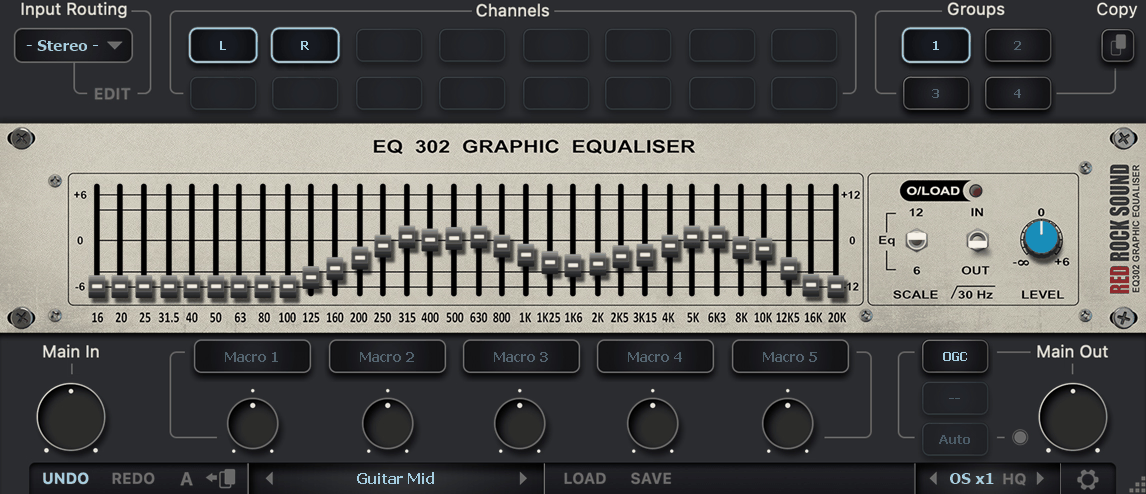
Free plugins rarely surprise you, but Red Rock Sound EQ302 is an exception that keeps surprising. Thirty-two bands cover 16Hz to 20kHz at 1/3-octave intervals, with routing that handles 44 channel configurations including 7.1.4 and 9.1.6 Atmos-style immersive layouts. Up to four separate equaliser groups can run in series, each assignable to different channels, so mid, side, height and surround elements can all receive independent processing within a single plugin instance.
Switchable 6dB and 12dB fader resolution lets you choose between broad tonal shaping and fine corrective work. A 30Hz low-cut filter handles subsonic energy, and the whole thing runs cleanly on both Windows and macOS across major plugin formats.
The companion SA60 spectrum analyser, also free from Red Rock Sound and modelled on the classic Klark Teknik DN60, pairs naturally with the EQ302 for visual confirmation of your adjustments. For anyone mixing in surround, Atmos or spatial audio, the two tools together form a genuinely capable free toolkit that holds up against paid alternatives costing considerably more.
7. Waves API 560
- Compatibility: Windows/macOS
- Format: VST3, AU, AAX, SoundGrid
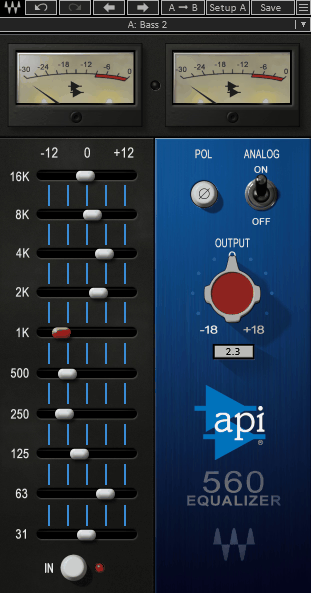
Proportional Q is one of those concepts that sounds technical but feels completely natural in practice. At small gain amounts the filter curve stays broad and gentle. Push harder and it narrows on its own, focusing the energy precisely where you’re pointing the slider. The hardware API 560, built around the company’s proprietary 2520 op-amp since 1967, was designed around this principle, and the Waves API 560 emulation faithfully preserves that behaviour across ten octave-spaced bands from 31Hz to 16kHz.
The authentic 2dB gain steps give each click of the slider a noticeable impact. An output section provides phase inversion and 18dB of level trim, with additional precision in the +/-4dB range for subtle moves. The Analog switch reintroduces the harmonic distortion and noise floor of the 1967 circuit for those moments where a touch of vintage coloration helps a source sit better in the mix.
No spectrum analyser. No dynamic processing. No hidden menus. The plugin does one thing and trusts the circuit’s forgiving nature to keep the results musical regardless of how quickly or aggressively you work.
Zero-latency operation makes the 560 equally practical for live tracking and monitoring as it is for mixing, which is a useful quality in a graphic EQ that many of the more modern, feature-heavy options on this list can’t claim.
Freebies:
1. Analog Obsession GrapHack
- Compatibility: Windows/macOS
- Format: VST3, AU, AAX
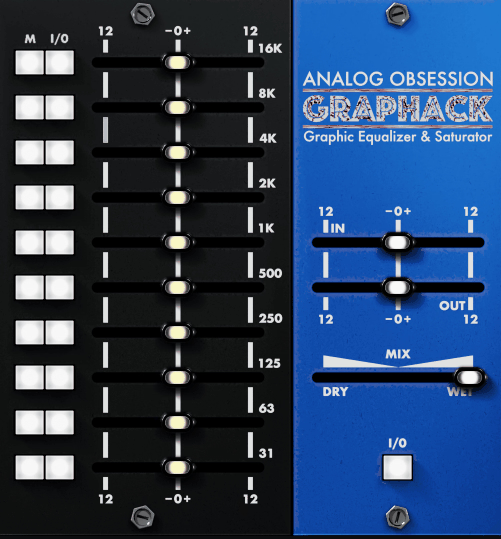
Graphic EQ and saturation don’t usually live in the same plugin, but Analog Obsession GrapHack combines both with an elegance that makes the pairing feel obvious in hindsight. The equaliser section follows the familiar ten-band, proportional-Q American graphic EQ template. What makes it different is that every single band has a parallel saturation fader accessible through an M button toggle, letting you drive harmonic content into specific frequency ranges while leaving the rest of the spectrum completely untouched.
A global gain-compensated Drive adds overall input saturation, and a Mix knob handles wet/dry blending for parallel processing. Engaging 4x oversampling by clicking the Analog Obsession logo is recommended whenever the saturation stages are doing heavy lifting, as it keeps aliasing artefacts under control. Individual band bypass switches, a resizable interface, touchscreen support and native Apple Silicon compatibility round out the feature set. The whole plugin is free through Patreon. Spending time with the M button on each band, toggling between EQ and saturation views to build a combined frequency and harmonic profile, reveals a depth of control that most dedicated saturation plugins don’t offer.
2. Synthescience Graphic EQ
- Compatibility: Windows (32-bit only)
- Format: VST
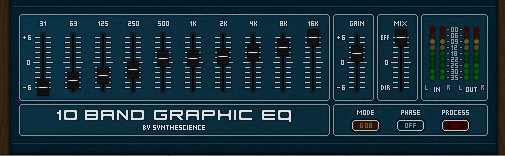
This one comes with a disclaimer. The Synthescience 10 Band Graphic EQ is a Windows-only, 32-bit VST that hasn’t been updated in a long time. If your DAW doesn’t support 32-bit plugins natively, you’ll need a bridge like jBridge, and macOS users are out of luck entirely. Those are real limitations, and there’s no sense pretending otherwise.
For producers whose setup does accommodate it, though, the plugin offers a straightforward ten-band graphic EQ with a switchable 6dB/12dB range, phase inversion, a wet/dry mix knob for parallel blending, and full parameter automation. CPU usage tends to run higher than expected for a plugin of this simplicity, so it’s best reserved for buses or a few key tracks rather than loaded across an entire session.
The interface has a dated look that some will find charming and others will find offputting. Sound quality, though, holds up respectably when the sliders are pushed to their limits.
One underrated feature is the 64 preset slots, which let you store and recall complete EQ curves instantly. For producers who like to build a library of starting points for different source types, that kind of quick recall is genuinely practical, even if the plugin surrounding it feels like a relic from an earlier generation of production tools.
3. Voxengo Marvel GEQ
- Compatibility: Windows/macOS
- Format: VST, VST3, AU, AAX
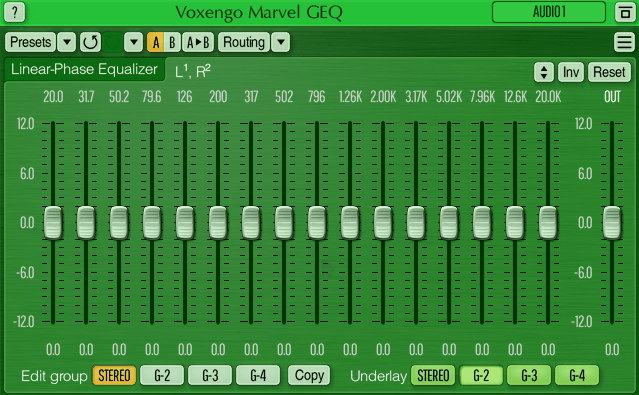
Giving away professional-quality tools for free and sustaining that model for over two decades is no small feat. Aleksey Vaneev’s Voxengo has been doing exactly that since 2001, and Voxengo Marvel GEQ remains one of the most impressive examples in the catalogue. It’s a 16-band linear-phase graphic equaliser that avoids the phase smearing of minimum-phase designs, making it especially valuable on mix buses and master channels where transparency matters most.
Multichannel support handles up to eight inputs and outputs, with mid/side processing, channel grouping, and a freehand drawing mode for sketching tonal curves in a single gesture. The +/-12dB gain range suits most mixing and mastering scenarios, and A/B comparison alongside full undo/redo history makes it easy to evaluate changes without losing your place. Latency sits at a compensated 9ms.
For anyone processing a stereo mix bus or running mid/side EQ on a master, the Marvel GEQ delivers the kind of clean, transparent correction that many producers assume requires a paid plugin. The fact that it doesn’t is one of the better-kept secrets in the freeware world.
4. Manda Audio 7Q
- Compatibility: Windows/macOS
- Format: VST, VST3, AU, AAX
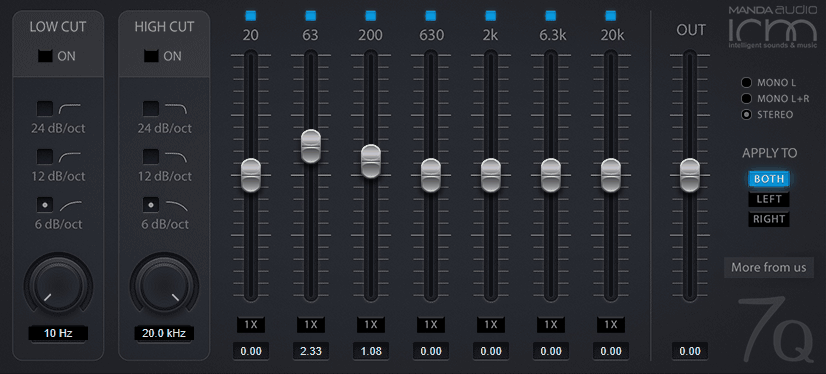
Seven bands might sound limiting compared to the 30-plus faders on some of the plugins higher up this list. In practice, the restriction is the point. Manda Audio 7Q picks its frequency centres with care, landing on 20Hz, 63Hz, 200Hz, 630Hz, 2kHz, 6.3kHz and 20kHz, a spread that covers the most common tonal trouble spots and sweetening opportunities without cluttering the interface with bands you’ll rarely touch. The plugin carries the spirit of the discontinued Kjaerhus Audio Classic EQ, updated for 64-bit systems and modern plugin formats.
Each band includes a Boost switch that doubles the available gain range for situations where the standard throw falls short. Memory and CPU consumption are both negligible, and no registration or account creation is required to download it. The interface is minimal, readable and easy on the eyes during long sessions. Integrated high-pass and low-pass filters with adjustable slopes give you effective control over the frequency extremes, turning what looks like a simple seven-band EQ into a genuinely versatile channel strip tool when you factor in the filtering.
Hello, this blog is about more than just chorus, bass and synths. In fact, I started it to cover best VST plugins and Kontakt libraries, so you have easier time finding the right tools and instruments for your music production needs, mixing, as well as mastering. New tools and instruments are constantly evolving and need to get in front of audience, because even some of the best brands like Antelope Audio aren’t talked about enough – that’s what I want to change. I want to promote plugins that are less known but are perfectly relevant for certain topics.